
How to Use Google Search Console to Find Local Keyword Opportunities

Freelancer Tawhid
SEO Expert and Consultant
- October 13, 2026
- No Comments
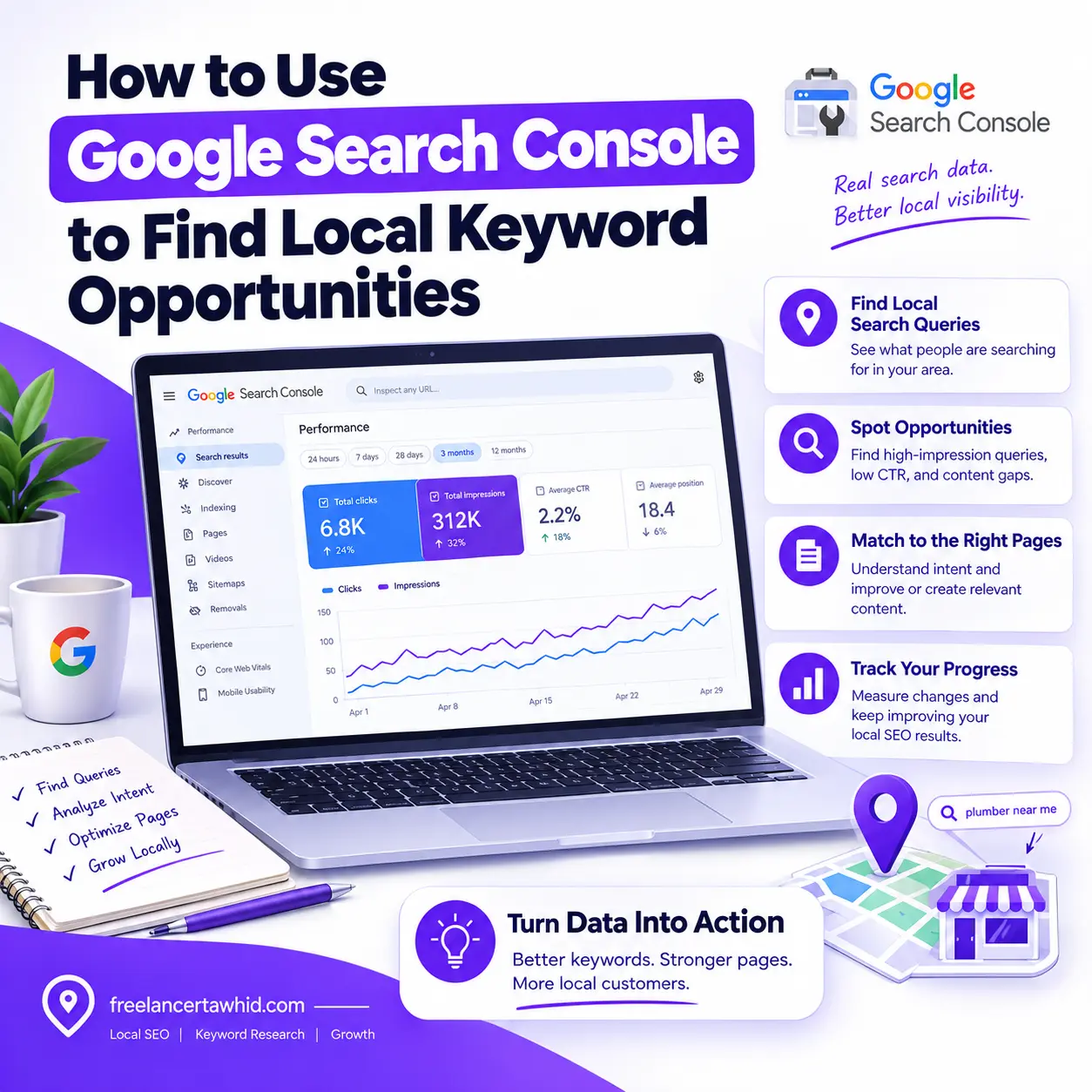
Google Search Console helps you discover local keyword opportunities by showing the search queries that generate impressions and clicks for your website in Google Search. By analyzing these queries, evaluating their search intent, and identifying the pages associated with them, you can discover opportunities to improve existing pages, address content gaps, and strengthen your Local SEO strategy.
The key is to look beyond individual keywords. You need to understand what people are searching for, which pages appear for those searches, and what improvements could better satisfy their needs.
In this guide, you will learn how to use Google Search Console to find local search queries, identify underperforming opportunities, prioritize keyword improvements, and measure their results. You will also learn where Search Console’s data ends and where other Local SEO research methods become necessary.
What Local Keyword Opportunities Can Google Search Console Reveal?
Google Search Console (GSC) is a free tool that helps website owners understand how their websites perform in Google Search. Its Performance report provides information about the search queries associated with your website’s visibility, the pages appearing in search results, and metrics such as clicks, impressions, click-through rate, and average position.
You can use this information to identify keywords that may deserve further investigation or optimization.
Unlike a traditional keyword research tool, Search Console focuses on your website’s observed search performance rather than providing a complete database of keyword demand.
Here are four types of opportunities worth investigating.
1. Local search queries that already generate impressions
Your website may appear for searches containing service names, geographic modifiers, or phrases indicating a need for a nearby business.
For example, a hypothetical plumbing business might discover queries such as:
- Emergency plumber in [city]
- Blocked drain repair
- Plumber near me
- Water heater repair service
- Why is my kitchen drain blocked?
These queries represent different needs. Some indicate a desire to hire a professional, while others suggest that the searcher is researching a problem.
By identifying these patterns, you can understand how people discover your website and whether your existing content adequately addresses their needs.
Remember that local intent does not always require a city name. A search such as “plumber near me” explicitly indicates proximity, while a query about an urgent plumbing problem may also have local service intent depending on the context.
2. High-impression queries with improvement potential
A search query may generate impressions without attracting many clicks.
This can happen for several reasons. Your page might not fully satisfy the search intent, the title and snippet might not communicate its relevance, or other search results and features may be more attractive to users.
Search Console allows you to investigate these patterns using impressions, clicks, CTR, and average position.
However, high impressions and low CTR do not automatically mean that you should rewrite a page title. First, assess the query’s relevance, the actual search results, the page’s purpose, and its existing performance.
3. Unexpected keywords and service-related variations
Your website may appear for search terms you did not deliberately target.
These queries can reveal alternative service terminology, common customer problems, specific service requirements, and questions that your current content only partially addresses.
For example, a business that describes its offering as “drain cleaning” might also receive impressions for “blocked drain repair.”
If both phrases describe the same service, the data may suggest an opportunity to improve the existing service page rather than create a separate page for every variation.
The important question is whether the query reveals a genuine customer need that your website should address.
4. Content gaps and keyword-to-page mismatches
Search Console can also help identify situations where:
- A relevant query leads to a page that does not fully answer the searcher’s question.
- An existing service page receives impressions for a service that needs clearer coverage.
- Informational queries suggest a useful supporting article.
- Several URLs appear for related queries and deserve a closer content review.
- A page’s visibility changes enough to justify further investigation.
These findings help you decide whether to improve an existing page, strengthen internal links, research a new topic, or leave the page unchanged.
For more comprehensive keyword discovery beyond existing search data, you can also explore my Local Keyword Research Service.
How to Set Up Google Search Console for Local Keyword Research
Before looking for opportunities, configure the report so you can interpret the data correctly.
Step 1: Open the Search results Performance report
Sign in to Google Search Console and select the property associated with your website.
Navigate to Performance → Search results.
The report shows how your website performs in Google Search and lets you examine queries, pages, countries, devices, dates, and other available dimensions.
For the standard workflow in this guide, use the Web search type and make sure the selected property includes the URLs you intend to analyze.
You can consult Google’s official Search Console Performance report documentation if you need help navigating the report.
Step 2: Select an appropriate date range
Choose a period that provides enough data to identify meaningful patterns.
You can begin with the default reporting period and expand it when you need more historical context.
Consider these approaches:
- Recent performance: Useful for investigating emerging queries or recent changes.
- Longer historical periods: Helpful when a website receives relatively little search traffic.
- Year-over-year comparisons: Useful for businesses affected by seasonal demand.
- Before-and-after comparisons: Helpful when reviewing the performance of a page following a specific change.
When comparing periods, consider whether they cover equivalent business conditions. For example, comparing a busy seasonal period with a quieter one may produce misleading conclusions.
Search Console also notes that its newest data can be preliminary and may change as processing continues. For important comparisons, avoid drawing conclusions from incomplete data.
Step 3: Activate the four main performance metrics
Enable the following metrics above the chart.
Metric | What it means | How to interpret it |
Clicks | Clicks from Google Search results to your website | Shows which queries generate website visits |
Impressions | Times your website appeared in Search results | Helps identify queries associated with search visibility |
CTR | Clicks divided by impressions | Indicates how often impressions result in clicks |
Average position | Average position of your site’s topmost result under the report’s aggregation rules | Provides context for performance trends, not a universal fixed ranking |
You do not need to optimize every metric independently.
For example, a query with fewer impressions but strong relevance and an appropriate service page may deserve more attention than an unrelated query with considerably more impressions.
Likewise, average position should not be treated as a definitive measure of where every searcher will see your website. Google explains that search results can vary according to time, place, device, and recent search history.
Source: Google Search Console Performance report.
Step 4: Understand the available report dimensions
Three dimensions are particularly useful for this workflow.
Queries: Shows the search terms associated with your website’s performance.
Pages: Shows the URLs associated with the reported search performance.
Countries: Shows the country from which the search originated.
You can combine these dimensions with date ranges and other available filters to narrow your investigation.
One important limitation: Search Console does not offer a dedicated city- or neighborhood-level query report. Country-level information should not be interpreted as proof that a keyword ranks at a particular position throughout a specific city.
This distinction becomes especially important when analyzing geographically sensitive search results.
Step-by-Step: How to Find Local Keyword Opportunities in Google Search Console
Once the report is configured, you can begin the actual research process.
Step 1: Review and export your existing search queries
Open the Queries tab in the Performance report.
Review the queries associated with your website’s visibility. You can sort the table by metrics such as clicks and impressions to find terms worth investigating.
Look for both expected and unexpected queries.
Expected queries may reflect services and topics already covered on your website. Unexpected queries may reveal alternative wording, related customer problems, or content opportunities you have not considered.
When necessary, use the export function to analyze the available data in a spreadsheet.
A useful worksheet should record:
- Search query
- Clicks
- Impressions
- CTR
- Average position
- Associated page
- Search intent
- Local relevance
- Potential improvement
- Recommended action
Do not assume that an export contains every query that generated impressions. Google omits some queries for privacy reasons and may limit the rows shown in the report. Missing queries do not necessarily indicate missing demand.
See Google’s documentation on Search Console dimensions and data limitations.
Step 2: Filter for local-intent keywords
The next step is to distinguish queries relevant to local services from queries that have little practical value for the business.
Use the query filter to investigate terms containing relevant words or phrases.
Depending on the business, these may include:
- Service names
- Geographic names
- “Near me” phrases
- Specific service types
- Customer problems
- Emergency or urgent service terms
- Questions related to choosing or using a service
You can start with simple query filters such as “queries containing” and examine the results. For more advanced research, Search Console also offers filtering options that support regular expressions.
Do not rely exclusively on geographic modifiers. A query without a city name can still be commercially useful to a business serving a particular geographic market.
Group the queries by intent
Once you have filtered the data, organize related queries into useful groups.
Query type | Illustrative example | What to investigate |
Service plus location | “Emergency plumber in [city]” | Whether the relevant service page clearly serves the intended market |
Proximity-based | “Plumber near me” | Website relevance and local visibility using appropriate supplementary methods |
Specific service | “Water heater repair” | Whether the service has adequate, relevant page coverage |
Problem-oriented | “Blocked kitchen drain” | Whether an existing page addresses the problem and its solution |
Informational | “How to prevent blocked drains” | Whether a helpful guide or supporting section is justified |
Brand-related | A query containing the business name | How branded discovery differs from non-branded demand |
The examples are hypothetical. They demonstrate a classification method rather than claiming that a particular business receives these queries.
Your classifications should reflect the actual offerings and needs of the business you are analyzing.
Step 3: Identify high-impression queries with low CTR
Now enable impressions and CTR if they are not already visible.
Sort the query data to find relevant terms with substantial impressions but comparatively few clicks.
These terms are worth investigating because they may reveal a mismatch between the searcher’s expectations and your current search result.
However, low CTR alone is not sufficient evidence that a page needs optimization.
Ask the following questions:
- Is the query relevant to the business?
- Does the associated page address the actual search intent?
- Does the page title accurately communicate the service or information offered?
- Does the search-results page contain prominent features or competing results that could influence clicks?
- Has CTR changed over time, or has it consistently been low?
- Does the query generate useful engagement or business value when users visit?
If you identify a genuine mismatch, consider improving the page’s title, content, or overall relevance.
If the query is unrelated to your services, it may not deserve any action at all.
Step 4: Investigate queries that show signs of improving visibility
Look beyond CTR to find queries with meaningful impressions and trends worth examining.
For example, a relevant service query may show increasing impressions over comparable periods but continue to generate few clicks.
Another query might consistently attract impressions even though the associated page does not adequately explain the service.
In these cases, review the corresponding page and search results before deciding how to respond.
Potential actions include improving the page’s explanation of the service, clarifying its relevance, addressing an unanswered customer question, or strengthening contextual links from relevant pages.
Do not use a rigid average-position threshold as your only decision rule. Average position can help you understand a pattern, but it does not independently establish a realistic ranking opportunity.
Step 5: Discover long-tail keywords and customer questions
Long-tail keywords are specific search phrases that often express a more defined need than a broad service term.
They can be particularly useful when researching questions, service variations, and problems related to local businesses.
Review queries containing words and phrases such as:
- How
- What
- Why
- When
- Cost
- Repair
- Service
- Best
- Emergency
These words are starting points for exploration, not mandatory filters.
For example, a hypothetical electrician might discover queries about a particular electrical problem rather than searches for the broad term “electrician.”
The finding could suggest adding an explanation to an existing service page or developing an educational article if the question represents a distinct informational need.
Before creating anything new, check whether the existing website already provides a suitable answer.
The goal is not to create a page for every keyword. It is to determine which genuine customer needs deserve better coverage.
Step 6: Match promising queries to their associated pages
This is one of the most important parts of the process.
Return to the Queries tab and select a promising query. Then open the Pages tab to inspect the URLs associated with that query.
Ask:
- Which page is appearing for this search?
- Does the page serve the correct intent?
- Is it a service page, a location page, or an informational article?
- Does it explain the relevant offering clearly?
- Could an existing page address the query more effectively?
- Would a separate page serve a genuinely different need?
Suppose a plumbing company’s service page receives impressions for a particular repair query, but the page contains little useful information about that repair.
The appropriate next step may be improving the existing page rather than publishing another page targeting the same keyword.
Alternatively, if the query asks a distinct informational question, an educational article may be justified.
If several pages appear for similar terms, investigate their purpose and performance before concluding that keyword cannibalization exists. Multiple URLs appearing for a query do not automatically indicate a problem.
For more comprehensive research, my Local Keyword Research Service focuses on identifying relevant terms, grouping keywords by intent, and mapping them to appropriate pages.
Step 7: Record your findings in a keyword opportunity worksheet
A structured worksheet makes your decisions easier to review and implement.
Use a format similar to the following.
Search query | Intent | Current page | Opportunity | Recommended action |
Emergency plumber in [city] | Transactional | Relevant service page | Service relevance needs review | Assess emergency-service coverage and page clarity |
Blocked drain repair | Commercial | General plumbing page | Specific service information may be limited | Evaluate whether the existing page should be improved |
How to prevent a drain blockage | Informational | Blog article or no suitable page | Possible content gap | Assess demand and whether a dedicated guide is justified |
Plumber near me | Local commercial | Service page | Geographic ranking cannot be inferred from GSC alone | Review website relevance and investigate local visibility separately |
These are hypothetical examples, not actual client results.
Add your own performance data and record the reason behind every recommended action.
Your worksheet should distinguish between:
- Opportunities supported by relevant performance data.
- Potential opportunities that need more research.
- Irrelevant queries that do not warrant action.
This prevents the keyword research process from becoming an exercise in collecting as many terms as possible.
Step 8: Choose the appropriate SEO action
After evaluating a query, select the action that best addresses the identified problem.
Improve an existing page when it already serves the relevant intent but needs better information, clarity, or coverage.
Strengthen internal links when relevant supporting pages can help readers discover the service page and navigate related information.
Create supporting content when a useful question or topic represents a distinct need that your current website does not adequately address.
Investigate overlapping pages when multiple URLs appear to serve similar intents and may benefit from clearer differentiation or consolidation.
Conduct further research when Search Console provides insufficient evidence to determine the appropriate action.
Do nothing when a query is irrelevant, poorly supported, or unlikely to provide meaningful value.
The best outcome is not necessarily more content. It is a better match between search intent, the website’s pages, and the needs of the intended audience.
How to Prioritize the Local Keyword Opportunities You Find
You may discover more possible improvements than you can implement at once. Prioritization helps you focus on the changes most likely to be useful.
A practical framework evaluates four factors.
1. Business relevance
Does the query relate to a service the business actually provides, a real customer problem, or a meaningful market?
A large number of impressions is not enough if the query is irrelevant.
2. Search intent
Does the searcher appear to want a service, information, a comparison, or help solving a problem?
A commercial query generally needs an appropriate service or landing page. An informational query may be better served by a useful article or a clear explanation within an existing page.
3. Strength of the evidence
Consider the available impressions, clicks, CTR, historical trends, and associated page.
Also assess whether the query genuinely matches the page and whether the proposed action addresses an identifiable problem.
Do not interpret an absence of data as conclusive proof that no opportunity exists.
4. Implementation effort
Consider whether the improvement requires a small content adjustment, a more substantial page revision, additional research, or a new resource.
A useful priority framework might look like this:
Priority | Typical situation | Recommended response |
High | Relevant query, clear page issue, actionable evidence | Investigate and implement an appropriate improvement |
Medium | Relevant query, but intent or page suitability needs further research | Validate the opportunity before making changes |
Low | Weak relevance, insufficient evidence, or little practical value | Monitor or deprioritize |
These categories are a decision aid, not a Google ranking formula. Choose priorities according to the website’s objectives and available evidence.
When should you create a new page?
Create a page when there is a clear reason for it to exist.
A separate service page may be appropriate when the business offers a genuinely distinct service. An educational article may be useful when it answers a question that deserves a more complete explanation.
However, do not create near-identical pages simply because different queries contain different city names, service variations, or minor wording changes.
Each page should have a distinct purpose and provide meaningful information for its intended audience.
Hypothetical Example: Turning Search Console Data Into a Local SEO Action Plan
Consider a fictional plumbing business that serves a defined geographic market.
The business reviews its Search Console report and finds several queries associated with its website.
Instead of immediately creating new pages, it classifies the queries, inspects their associated URLs, and determines what each finding means.
Example 1: A service query with limited page coverage
The website receives impressions for a specific drain repair service, but the associated general plumbing page does not explain that service clearly.
Analysis: The query is relevant, but the page may not adequately satisfy its intent.
Action: Assess whether the existing page should be improved before considering a separate page.
Example 2: An informational query with a distinct purpose
The website receives impressions for a question about preventing blocked drains.
Analysis: The searcher appears to be seeking advice rather than immediately hiring a plumber.
Action: Determine whether a useful educational article would provide a better answer and support the appropriate service page through contextual internal links.
Example 3: A proximity-based query
The business sees website impressions for a query containing “near me.”
Analysis: The term indicates proximity-related intent, but Search Console cannot establish the business’s precise Google Maps position for the searcher.
Action: Assess the relevant website page and use suitable local visibility methods if the business also needs to evaluate geographic Maps rankings.
Example 4: A relevant query with low CTR
A service page receives relevant impressions but relatively few clicks compared with its previous performance or similar queries.
Analysis: The result, search intent, competition, and search-results layout all need investigation.
Action: Review the title, snippet, page relevance, and search results before deciding whether to change the page.
The lesson is straightforward: Search Console reveals evidence worth investigating, while SEO analysis determines the appropriate response.
How to Validate Your Findings With Other Local SEO Data Sources
Google Search Console is valuable, but it should not be your only source of information when developing a Local SEO strategy.
Other tools can help you investigate demand, profile activity, competition, and geographic visibility.
Google Business Profile Performance
Google Business Profile Performance provides information about how people discover and interact with an eligible business profile on Google Search and Maps.
Depending on the profile and available reporting, the data can include search terms, views, clicks, and customer interactions.
This information complements Search Console, but the two reports measure different things.
Search Console focuses on website performance in Google Search. Business Profile Performance focuses on profile discovery and interactions.
For example, a business may need to investigate website queries while separately reviewing the search terms associated with its Business Profile.
For more information, read my guide on how to measure Google Business Profile performance.
You can also explore Google Business Profile Optimization if your broader objective is to improve the quality and effectiveness of your business profile.
Keyword research tools
Search Console does not provide total keyword search volume. Its impressions describe your website’s appearances in Search results, not every search made for a term.
When you need estimated keyword demand or ideas beyond your existing query data, consider a suitable keyword research tool.
Google Keyword Planner and other keyword research platforms can help investigate estimated demand, related search terms, and potential topic variations.
Treat estimates as directional evidence. Different tools may use different data sources, methods, and assumptions, so do not treat an estimate as an exact count of searches.
Combine demand estimates with relevance, intent, current website performance, and business objectives.
Actual search-result analysis
Inspect the search results for your priority queries when you need to understand what Google is currently showing.
Evaluate whether the results predominantly serve service-seeking users, people looking for information, or searchers comparing their options.
Look for useful ways to improve your own page, including missing explanations, clearer service information, or a better match to the searcher’s question.
Competitor research can help reveal gaps, but copying competitors’ headings or content does not create an original or necessarily useful resource.
Google Maps visibility methods
If you need to understand how a business’s Maps rankings vary across a geographic area, use methods designed for geographic rank analysis.
Search Console’s average position should not be treated as a substitute for this type of assessment.
For a deeper explanation, read the guide to geo-grid rank tracking for Google Maps.
This separation matters because website search performance and geographically variable Maps rankings are related but distinct parts of Local SEO.
Common Mistakes When Using Google Search Console for Local Keyword Research
Avoid these mistakes when analyzing the report and deciding what to implement.
Mistake 1: Treating impressions as keyword search volume
Impressions indicate how often your website appears in Search results under Google’s reporting rules. They do not represent the total number of searches for a keyword.
Use appropriate keyword research tools when you need estimated demand beyond your existing website data.
Mistake 2: Assuming that missing queries have no demand
Search Console omits some queries to protect user privacy and may limit the query rows displayed. Its visible table is therefore not a complete record of every search.
Use the available evidence alongside other research methods rather than interpreting missing terms as proof that nobody searches for them.
Mistake 3: Treating average position as a fixed local ranking
Average position is an aggregated Search metric, not a promise about what every user will see.
The same query can produce different results according to time, place, device, and other context. Investigate geographic visibility separately when that is the question you need to answer.
Mistake 4: Confusing website searches with Business Profile activity
Website queries and Business Profile searches are not interchangeable metrics.
Use Search Console to investigate website search performance and Business Profile Performance to understand profile discovery and interactions. Combine the insights where relevant, but preserve the distinction.
Mistake 5: Creating a new page for every keyword variation
Similar wording does not automatically indicate a new page opportunity.
Before creating a page, assess whether the search intent is meaningfully different and whether the proposed content would provide additional value. Improve or clarify an existing page when that is the more appropriate solution.
Mistake 6: Prioritizing traffic while ignoring business relevance
A query can attract impressions and clicks without supporting the business’s actual objectives.
Consider the service offered, the searcher’s need, the page’s purpose, and the value of the resulting visit.
More traffic is not automatically better traffic.
How to Measure the Results of Your Local Keyword Improvements
Keyword discovery is only the beginning. You also need a way to evaluate whether your changes are helping the website.
Establish a baseline
Before changing a page, record the relevant queries, associated URLs, clicks, impressions, CTR, average position, and date range.
If the page is intended to generate inquiries, record the relevant conversion measures where they are available and configured appropriately.
A baseline allows you to compare the same page or query group after implementation.
Compare performance after making changes
Once a change has had a reasonable opportunity to be reflected in Search, compare the results with an appropriate previous period.
For example, you might investigate whether a page’s relevant queries have gained impressions, whether clicks have changed, or whether the page now appears for a more useful range of search terms.
Choose comparison periods that account for the nature of the business, seasonal demand, data availability, and the changes implemented.
There is no universal timeframe in which every SEO improvement should produce a measurable result.
Interpret the findings carefully
If clicks increase after a page update, record the change, but do not automatically conclude that the update caused the entire improvement.
Search demand, competing pages, seasonality, and other factors can influence performance.
Record implementation dates and compare suitable periods. Use the results to refine the next round of improvements rather than relying on unsupported assumptions.
Repeat the research cycle
A practical ongoing process is:
- Discover relevant search queries.
- Classify their intent and local relevance.
- Inspect the associated pages.
- Prioritize meaningful opportunities.
- Implement the appropriate changes.
- Measure subsequent performance.
- Refine the strategy using the findings.
The frequency of review should reflect the website’s data volume, business priorities, and implementation schedule. A monthly review can be a reasonable starting point for an established website, but smaller sites may need longer periods to identify meaningful patterns.
Frequently Asked Questions
Does Google Search Console show local keywords from Google Maps?
Google Search Console can reveal local-intent queries associated with your website’s appearances in Google Search. However, it is not a complete report of Google Maps searches or Business Profile activity. For profile-specific search terms and interactions, review Google Business Profile Performance alongside your website’s Search Console data.
Can Google Search Console show keyword performance by city or neighborhood?
No. The Search results Performance report provides dimensions such as query, page, country, and device, but it does not offer a dedicated city- or neighborhood-level query report. To investigate specific local markets, combine Search Console trends with location-aware search-result checks and suitable local SEO measurement methods.
Why doesn’t Google Search Console show every search query?
Search Console omits some queries to protect user privacy, and reporting limitations mean the visible table may not contain every query. Anonymized queries can still contribute to chart totals even when they are not displayed individually. Treat the available report as useful performance evidence, not a complete record of every search.
Does Google Search Console provide keyword search volume?
No. GSC reports how your website performs for observed search queries, including impressions and clicks. Impressions are not total keyword search volume because they relate to your site’s appearances in results. Use an appropriate keyword research tool when you need estimated market demand, and interpret those estimates alongside relevance, intent, and business value.
How often should you review local keyword opportunities in Search Console?
Review frequency should reflect your website’s data volume, business needs, and implementation schedule. A monthly review can be a practical starting point for an established website, while low-traffic sites may need longer comparison periods to identify meaningful patterns. After significant changes, compare suitable periods and avoid drawing conclusions from short-term fluctuations alone.
Conclusion: Turn Local Search Data Into Actionable Keyword Opportunities
Google Search Console can help you identify local keyword opportunities that might otherwise go unnoticed. By examining real search queries, understanding their intent, and inspecting the associated pages, you can make more informed decisions about where your Local SEO efforts deserve attention.
The most effective approach is to move beyond collecting keywords. Evaluate each opportunity according to business relevance, page quality, search intent, available evidence, and implementation feasibility.
Remember three essential principles:
- Search Console reports website search performance, not total keyword demand.
- A query is an opportunity only when it represents a meaningful need that your website can address.
- The right response may be improving an existing page, developing useful supporting content, investigating a wider SEO issue, or deciding that no action is necessary.
If you need help identifying relevant local keywords, prioritizing opportunities, or mapping search queries to the right pages, explore my Local Keyword Research Service.
For broader problems involving page structure, search visibility, or technical and content issues, my Local SEO Audit Service may be a more appropriate starting point.
The goal is not to target every possible keyword. It is to understand what your audience searches for, create the right pages to meet those needs, and use evidence to guide the next improvement.