
How to Report Fake Google Reviews and Appeal a Removal Decision

Freelancer Tawhid
SEO Expert and Consultant
- October 16, 2026
- 0 comments
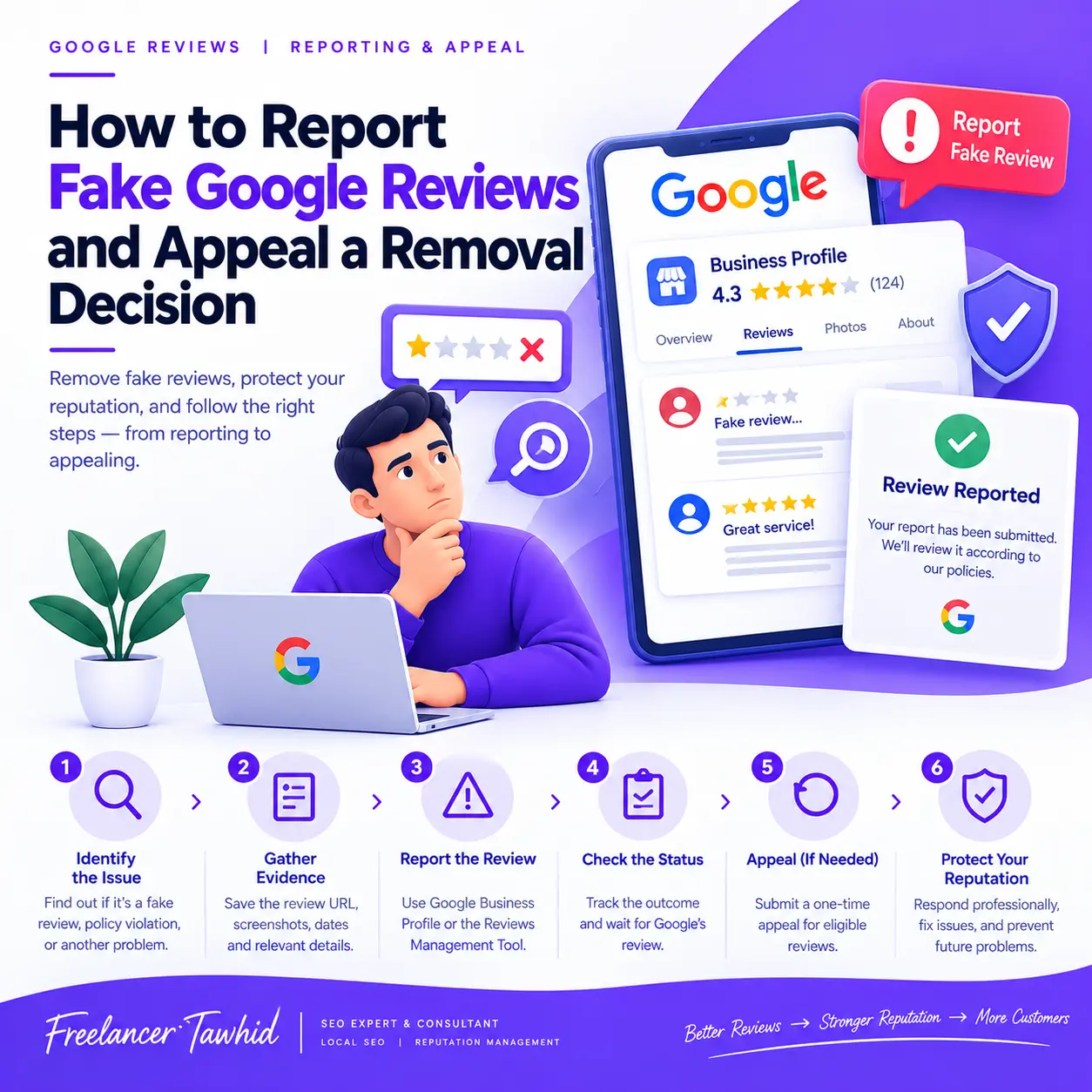
Google reviews can influence how potential customers perceive a business. When a review appears fabricated, manipulative, or otherwise prohibited, it can be frustrating to discover that Google has left it online after a removal request.
To report a fake Google review, identify the specific Google content policy it appears to violate, report it through your Google Business Profile or the Google Reviews Management Tool, and check the decision. If Google finds no policy violation, you can submit a one-time appeal for eligible reviews through the same tool. Removal is not guaranteed, so your report should be factual, specific, and supported by relevant evidence.
This guide explains how to identify potentially fake reviews, report them correctly, track the outcome, appeal an unsuccessful decision, and protect your business’s reputation if a review remains visible.
1. What Counts as a Fake Google Review?
A fake Google review is generally a review that does not reflect a genuine experience or forms part of an attempt to manipulate a business’s reputation or rating. Google prohibits fake engagement, misleading reviews, and certain forms of review manipulation under its Maps user-generated content policies.
However, not every negative or disputed review is fake. Before reporting a review, understand which circumstances may constitute a policy violation.
Fake engagement and review manipulation
Google prohibits review activity that misrepresents genuine customer experiences or artificially influences ratings.
Examples include:
- Fabricated experiences: Reviews that do not reflect a real experience with the business.
- Paid or incentivized reviews: Reviews posted in exchange for money, discounts, free products, services, or other incentives.
- Coordinated review manipulation: Reviews posted through multiple accounts at one person’s request to manipulate a rating.
- Competitor attacks: Reviews posted on a competing business’s profile to undermine its reputation.
- Conflicts of interest: Reviews involving certain employment, professional, personal, or competitive relationships that conflict with Google’s policies.
- Manipulated review patterns: Unusual volumes or patterns of contributions that indicate an attempt to influence ratings.
These situations can provide grounds for reporting a review, but the available evidence matters. A sudden increase in negative reviews may justify closer investigation, for example, but it does not automatically prove that every review is fake.
Read Google’s official policies on fake and misleading content before deciding which reporting reason applies.
Other policy violations that may justify reporting
A review may violate Google’s policies even when it is not obviously fabricated.
Depending on its content, a review may be reportable for reasons involving:
- Spam or repetitive content.
- Content unrelated to the relevant business or experience.
- Harassment, hate speech, or prohibited offensive material.
- Personal information that violates Google’s rules.
- Other prohibited misleading, promotional, or manipulative content.
Choose the reporting reason that best matches the actual violation. Do not label a review as fake simply because another policy category may be more difficult to identify.
What does not automatically make a review fake?
A review is not automatically eligible for removal because:
- It gives the business one star.
- The reviewer describes a disappointing experience.
- The business disputes the reviewer’s account of events.
- The reviewer uses a name the business does not recognize.
- The business cannot match the review to an internal customer record.
- The review criticizes the business in strong language without violating a content policy.
A reviewer may use a public username that differs from the name in a business’s records. Likewise, a person may have a genuine experience without appearing in the business’s customer database.
Google’s guidance is clear: report reviews that violate its policies, not simply reviews you dislike or disagree with.
The key distinction: A review can be unfair, inaccurate, or damaging from the business owner’s perspective without necessarily violating Google’s removal policies.
2. What Evidence Should You Gather Before Reporting a Fake Review?
Before submitting a report or appeal, create a clear record of the review and the reason you believe it violates Google’s policies.
Good documentation helps you explain the issue accurately, avoid unsupported accusations, and keep track of the case if you need to appeal.
Record the review details
Start by collecting:
- The direct review URL: Preserve a link to the specific review whenever possible.
- A screenshot: Capture the review and the surrounding context as it appears publicly.
- The review date and wording: Record the visible posting date, reviewer’s displayed name, and exact text.
- The relevant Business Profile: Confirm that the review appears on the correct business listing.
- A timeline: Record when you noticed the review, when you reported it, and any subsequent updates.
- The reporting outcome: Save the status, appeal details, and any reference number provided by Google.
Keep the original evidence intact. If the review disappears, changes, or becomes difficult to locate, your records will help you explain what happened.
Match the evidence to the suspected policy violation
Different situations require different supporting facts.
Situation | Potential policy concern | Relevant evidence |
A suspicious cluster of reviews appears within a short period | Possible coordinated review manipulation | Review URLs, posting dates, and verifiable evidence of coordination |
Evidence indicates that a reviewer has a prohibited conflict of interest | Conflict of interest | Reliable information establishing the relevant relationship |
A review contains content unrelated to the business | Off-topic content | The exact wording and an explanation of why it falls outside the permitted scope |
A review contains prohibited harassment or personal information | Relevant content policy | Screenshots and the specific offending material |
Someone demands money in exchange for removing negative reviews | Potential extortion scam | Demand messages, timestamps, sender details, and links to the suspicious reviews |
These examples are diagnostic aids, not guarantees of removal. The facts must support the policy concern, and Google makes the final determination.
For instance, several negative reviews appearing together may be suspicious. Without further evidence, however, the timing alone may not establish that the reviews were coordinated or fabricated.
Prepare a concise, factual explanation
A useful explanation should answer three questions:
Which policy may have been violated? Identify the relevant policy or reporting category as precisely as possible.
What facts support the report? Describe what the review contains or what verifiable circumstances suggest a violation.
What evidence supports those facts? Point to the review, screenshots, timestamps, or other relevant documentation.
Avoid emotional accusations, speculation about a competitor’s motives, and claims you cannot substantiate. A clear explanation of the policy issue is more useful than simply stating that a review is fake.
3. How to Report Fake Google Reviews
Google provides an official process for reporting reviews that may violate its policies. You can report a review through the Business Profile interface or use the Reviews Management Tool to submit reports, check their status, and appeal eligible decisions.
Method 1: Report a review from your Google Business Profile
Follow these steps:
- Open the relevant Google Business Profile.
- Select Read reviews.
- Find the review you want to report.
- Select Report next to the review.
- Choose the reason that best matches the suspected policy violation.
- Select Send report.
The exact placement or wording of interface controls may change as Google updates its products.
After submission, Google evaluates the report against its policies. Reporting a review does not automatically remove it, and selecting a reason does not guarantee that Google will agree with your assessment.
Method 2: Use the Google Reviews Management Tool
The Reviews Management Tool is particularly useful when you need to follow a report through to a removal decision or appeal.
Step 1: Open the tool.
Visit Google’s official Reviews Management Tool and removal instructions.
Step 2: Confirm the correct account.
If the email address shown is associated with the relevant Business Profile, select Confirm. Otherwise, use the available account-switching option.
Step 3: Select the business.
Choose the Business Profile containing the review you want to report.
Step 4: Start a new removal report.
Select Continue, choose Report a new review for removal, and continue.
Step 5: Find the review.
Locate the specific review and select Report beside it.
Step 6: Choose the reporting reason.
In the next screen, select the option that most accurately describes the suspected violation.
Step 7: Submit the report.
Select Submit to send the report for review.
You can return to the tool to check the status and determine whether an appeal is available.
Which reporting reason should you select?
Choose the category that reflects the content or conduct you can actually identify.
For example, use a spam-related reason when the review genuinely appears to involve spam. If the issue concerns prohibited content or another specific policy violation, select the most applicable available reason.
Do not guess at the reviewer’s identity or motives. Where a later appeal form allows an explanation, use that opportunity to connect the facts to the relevant policy.
Important: An initial report and an appeal are different stages. If Google evaluates the report and finds no policy violation, the next step is to check the available appeal options rather than assuming the initial report was sufficient.
4. What If Negative Reviews Are Part of an Extortion Scam?
A review-extortion attempt requires a different response from an ordinary suspicious review.
Google identifies potential extortion scams as situations that may involve a sudden increase in one-star or two-star reviews, followed by a demand for money, goods, or services in exchange for removing the reviews.
A sudden increase in negative reviews alone does not prove extortion. The defining concern is the demand for something in exchange for review removal.
How to recognize a potential review-extortion attempt
Warning signs may include:
- An unusual cluster of negative reviews.
- A message demanding payment to remove the reviews.
- Threats to publish more negative reviews unless the business complies.
- A person offering to remove reviews in exchange for money or favors.
- Communications connecting the review activity with a demand.
Preserve the messages and avoid making public accusations before you have established the facts.
How to report a Google review-extortion scam
Google has a dedicated process for reporting these incidents.
- Open Google’s review-extortion reporting instructions.
- Access the merchant extortion report form linked from that page.
- Provide the requested information about the affected business, suspicious reviews, and the person or group making the demand.
- Attach relevant evidence.
- Submit the form.
Google recommends gathering evidence such as:
- Screenshots of emails, chat messages, and other written demands.
- Dates, times, and sender information visible in those communications.
- Direct links to the suspicious reviews.
- Relevant names, usernames, email addresses, phone numbers, or social media profiles.
- A timeline describing when the reviews appeared and when the extortion demand was received.
Do not pay or offer money, goods, or services to secure removal. Google warns that payment does not guarantee removal and may encourage further attempts.
Use this dedicated process when there is an actual extortion demand. For ordinary suspected spam or other policy violations, use Google’s regular review-reporting workflow.
5. How to Check Your Google Review Removal Status
After reporting a review, you do not have to guess whether Google has evaluated it. The Reviews Management Tool provides status information for reports submitted through the process.
Google says review evaluations typically take several days, although timing can vary. Check the current status instead of assuming a decision will arrive on a particular date.
What do the Google review-removal statuses mean?
Status | Meaning | What to do next |
Decision pending | The review has been flagged but has not yet been evaluated. | Keep your evidence and check again for an updated status. |
Report reviewed – no policy violation | Google evaluated the report but did not find a policy violation. | Review the evidence and check the tool for the one-time appeal option. |
Escalated – check your email for updates | The appeal has been escalated, and Google will communicate the final decision by email. | Monitor the relevant email account and preserve the case details. |
These status descriptions follow Google’s published review-reporting and appeal guidance.
What if the status has not changed?
If the status remains pending, retain the report details and check the tool periodically.
Avoid repeatedly submitting the same report without new, relevant information. Duplicate reports do not guarantee a faster decision or a different outcome.
If the incident involves an extortion demand, preserve the communications and use the dedicated extortion reporting process as well.
When Google has evaluated the report and found no policy violation, check whether the review is eligible for the one-time appeal.
6. How to Appeal a Google Review Removal Decision
If Google reports that a review does not violate its policies, you may still have an opportunity to challenge that decision.
Google provides a one-time appeal for eligible reviews through the Reviews Management Tool. Its documented process allows you to select up to 10 eligible reviews for an appeal.
The purpose of the appeal is to give Google another opportunity to assess the review against the applicable policies. It is not a guarantee that the review will be removed.
When can you appeal a Google review-removal decision?
Start by checking the review’s status in the Reviews Management Tool.
If the status is Report reviewed – no policy violation, and the tool offers an appeal option, you can proceed with the eligible review or reviews.
Because the appeal is one-time, prepare your explanation and evidence carefully. Do not assume that you will have unlimited opportunities to challenge the same decision.
Step-by-step: Submit a Google review-removal appeal
Step 1: Open the Reviews Management Tool.
Use Google’s official reporting and appeal page.
Step 2: Confirm the associated account.
Check that you are using the Google account connected to the correct Business Profile.
Step 3: Select your business.
Choose the profile associated with the review you previously reported.
Step 4: Open the status and appeal options.
Select Continue, then choose Check the status of a review I reported previously and appeal options, and continue.
Step 5: Select eligible reviews.
At the bottom of the tool, choose Appeal eligible reviews. Select the review or reviews you want to appeal. Google’s documented process allows up to 10 reviews to be selected.
Step 6: Continue to the appeal form.
Select Continue, followed by Submit an appeal.
Step 7: Complete and submit the form.
Provide the requested information accurately, making the policy concern and supporting facts clear.
Step 8: Save the case details.
Keep a copy of your submission and any case reference provided. Monitor your email for Google’s decision.
Google states that if the review violates its policies, it will be removed. If the review complies with its policies, it will remain visible.
What evidence should you include in your appeal?
A strong appeal should be specific, factual, and relevant to the suspected policy violation.
Include the following where applicable:
- The review being appealed: Identify the review using its direct URL or the information requested by the form.
- The relevant policy: Name the policy or category you believe the review violates.
- The factual explanation: Explain what the review contains or what documented circumstances indicate a violation.
- Supporting evidence: Point to relevant screenshots, dates, messages, or verifiable information.
- Relevant context: Explain any documented relationship between the review and a pattern of manipulation, a conflict of interest, or another policy issue.
You do not need to make an appeal longer than necessary. A few clear facts directly connected to a policy are more useful than a lengthy account of how damaging or unfair the review feels.
Likewise, do not submit private information unnecessarily or make accusations about a named individual without reliable supporting evidence.
A simple Google review appeal template
The following is an illustrative structure you can adapt. It is not an official Google form.
Review being appealed: [Insert the review URL]
Relevant Google policy: [Identify the specific policy or violation category]
Reason for appeal: I believe this review may violate the cited policy because [explain the specific facts and circumstances].
Supporting evidence: [Identify the relevant screenshots, links, dates, or other documentation and explain what they demonstrate.]
Requested action: Please reassess this review against the cited policy and the supporting evidence.
Use only statements you can substantiate. If you cannot identify a specific violation, reassess whether the issue is actually a removal-policy matter or one that should be addressed through a professional public response.
Common mistakes that weaken Google review appeals
Avoid these common problems:
- Calling a review fake without explaining why.
A general accusation does not establish which policy has been violated.
- Treating a low rating as proof of misconduct.
A negative review can be legitimate even if the business strongly disagrees with it.
- Assuming an unfamiliar reviewer must be fake.
Public usernames do not always match internal customer records.
- Making unsupported competitor accusations.
Report verifiable facts instead of speculating about who may be responsible.
- Submitting irrelevant evidence.
Evidence should help establish the specific policy violation, not merely show that the review is damaging.
- Assuming that an appeal guarantees removal.
Google makes the final decision according to its policies. Even a carefully prepared appeal can be unsuccessful.
7. What to Do If Google Still Refuses to Remove the Review
An unsuccessful appeal does not necessarily mean your only option is to do nothing. It does mean you should choose the next step carefully.
If Google determines that the review complies with its policies, it may remain visible. Review removal should not be treated as the only possible measure of successful reputation management.
Check whether another legitimate reporting route applies
Review the case to determine whether the issue involves something separate from the original report.
For example, a documented extortion attempt should be handled through Google’s dedicated extortion reporting process. Content that may involve a legal issue may require advice appropriate to the relevant jurisdiction.
Do not assume that repeatedly flagging the same review, posting in a forum, or contacting unrelated support channels will overturn a final decision.
If you discover genuinely new evidence, assess whether an appropriate reporting route exists and follow its requirements. Do not assume that new information automatically reopens a one-time appeal.
Respond professionally if the review remains online
When a review appears to be legitimate criticism or does not qualify for removal, a professional response may be more useful than continuing to dispute it.
A suitable response should:
- Acknowledge the feedback without becoming defensive.
- Address the concern calmly and factually.
- Avoid revealing confidential customer information.
- Offer an appropriate private channel for resolving a genuine service issue.
- Avoid publicly accusing the reviewer of dishonesty without evidence.
For example, if a reviewer complains about a delay, you can acknowledge the concern and explain that you would welcome the opportunity to understand what happened. You do not need to accept every allegation as accurate to respond respectfully.
Prospective customers may read both the review and the business’s response. A measured reply demonstrates that feedback is handled seriously.
Protect your business’s wider online reputation
Review management should be an ongoing business process, not only a response to individual negative reviews.
Consider these practices:
- Monitor new reviews and keep records of serious incidents.
- Respond consistently and professionally to legitimate customer feedback.
- Encourage genuine customers to share honest experiences without influencing their ratings.
- Never buy reviews or offer incentives in exchange for reviews or rating changes.
- Avoid selectively soliciting only positive reviews or discouraging negative feedback.
- Investigate recurring complaints that may reveal real operational issues.
- Maintain a documented process for reporting policy violations and handling extortion attempts.
These practices support a more credible review profile while keeping your approach aligned with Google’s policies.
For a wider strategy that includes handling potentially policy-violating reviews, responding to feedback, and managing your online reputation, explore Freelancer Tawhid’s Reputation Management service.
Frequently Asked Questions
1. Can Google remove a review just because it is false or unfair?
Not automatically. Google generally removes reviews that violate its content policies, including certain forms of fake engagement, spam, and prohibited conflicts of interest. A low rating, a disputed allegation, or an unfamiliar reviewer name does not by itself prove a violation. Identify the relevant policy and provide factual evidence when reporting the review.
2. How long does Google take to review a fake-review report?
Google says review evaluations typically take several days, but it does not provide a universal completion date for every case. Check the Reviews Management Tool for your report’s current status. If Google finds no policy violation, check whether the one-time appeal option is available for the review.
3. Can I appeal if Google refuses to remove a fake review?
Yes, eligible reviews can receive a one-time appeal through the Reviews Management Tool. Open the status and appeal options for previously reported reviews, select the eligible review or reviews, and submit the appeal form. Google’s documented process allows up to 10 eligible reviews to be selected. The final decision is communicated by email.
4. What evidence should I include in a Google review-removal appeal?
Include the review URL, the relevant Google policy, a concise explanation of the suspected violation, and supporting evidence that relates directly to it. Depending on the situation, useful evidence may include screenshots, timestamps, messages, or verifiable information about coordinated activity or a prohibited conflict of interest. Avoid unsupported accusations and unnecessary private information.
5. What should I do if negative reviews are part of an extortion attempt?
Do not pay or offer goods or services in exchange for review removal. Preserve the demands, timestamps, sender details, direct links to suspicious reviews, and a timeline of the incident. Submit the evidence through Google’s dedicated review-extortion reporting process. That channel is intended for actual extortion attempts, not ordinary negative reviews.
Need Help Managing Fake Google Reviews?
Reporting a policy-violating review is only one part of protecting a business’s online reputation. You also need to understand which reviews may qualify for removal, document the issue carefully, respond appropriately when reviews remain visible, and maintain a trustworthy review-management process.
Freelancer Tawhid provides SEO services, including Reputation Management, to help businesses address review-related concerns as part of a broader online presence strategy.
Explore the service to see whether it fits your needs, or visit the Contact page to discuss your situation.
The most important principle is straightforward: report reviews based on specific policy violations, support your claims with relevant evidence, and manage the reputation issues you can control. A careful, policy-first approach gives you a clearer path forward without relying on removal guarantees or unsupported claims.