
How to Identify and Report Fake or Keyword-Stuffed Google Maps Listings

Freelancer Tawhid
SEO Expert and Consultant
- October 12, 2026
- No Comments
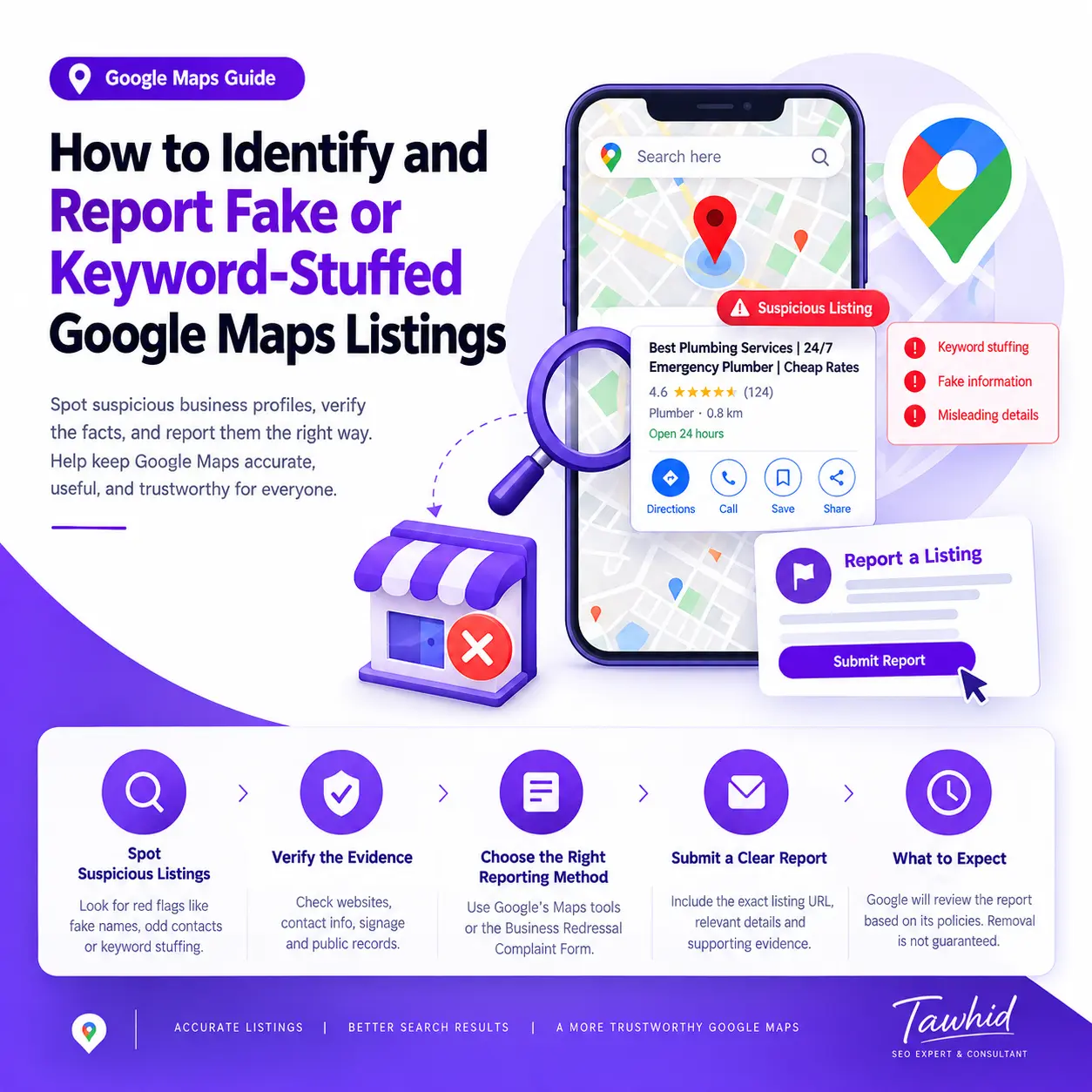
Fake-looking businesses, misleading business information, and keyword-stuffed names can make Google Maps less useful for people searching for legitimate businesses. If you encounter a suspicious listing, the important first step is to verify the information rather than assume that the business is breaking Google’s rules.
Google provides different ways to report inaccurate business information and suspected policy violations. Ordinary information corrections generally belong in the Google Maps editing process, while suspected fraudulent business names, phone numbers, or website URLs may qualify for Google’s Business Redressal Complaint Form.
In this guide, you’ll learn how to recognize potentially suspicious Google Maps listings, verify the evidence, choose the appropriate reporting method, and understand what to expect after submitting a complaint.
What Counts as a Fake or Keyword-Stuffed Google Maps Listing?
A fake or misleading Google Maps listing is a business profile that appears to misrepresent a business’s identity, existence, location, contact information, or other important details. A keyword-stuffed listing, by contrast, uses unnecessary keywords or promotional information in its business name in an attempt to influence visibility.
These issues can overlap, but they are not identical. A listing can have an inappropriate business name without being entirely fictitious, and a business can be fake or misleading without using keyword-stuffed wording.
Understanding the difference helps you identify the actual issue and report it appropriately.
1. Fake or misleading business listings
A suspicious listing may require investigation if the business appears not to exist, its identity cannot be substantiated, or its published information appears designed to mislead customers.
Potential warning signs include:
- A business name or identity that conflicts with credible public information.
- Contact information that appears unrelated to the business being represented.
- A website that redirects visitors to an unrelated business or destination.
- A listing that appears to impersonate an established business.
- A purported business location that cannot be substantiated by the available evidence.
- Multiple apparently redundant profiles that may violate Google’s guidelines.
None of these observations proves fraud by itself. Businesses may change names, relocate, operate as service-area businesses, or have outdated information on third-party websites.
The goal is to identify a specific, evidence-supported concern rather than label a business as fake based on appearance alone.
2. Keyword stuffing in a Google Business Profile name
Google requires a Business Profile name to reflect the business’s real-world name as it is consistently used in its branding, signage, website, stationery, and other relevant materials.
Adding unnecessary service keywords, promotional phrases, or location information to a name purely to improve search visibility is not permitted.
For example, consider these hypothetical names:
Example business name | Initial assessment |
Northside Plumbing | No obvious name violation from the name alone |
Northside Emergency Plumbing | Verify whether this is the genuine real-world name |
Northside Plumbing | Best Emergency Plumber | Open 24/7 | Potentially keyword-stuffed if those additions are not part of the real-world name |
The third example contains several warning signs: a service phrase, a promotional claim, and opening-hours information. However, the final assessment still depends on the business’s genuine name and the available evidence.
Google’s Guidelines for representing your business explain that unnecessary information in the business name is not permitted and can lead to consequences, including profile suspension.
The correct approach is to verify the real-world name, identify the exact discrepancy, and use the appropriate reporting channel.
3. Duplicate or potentially ineligible listings
Other issues can involve duplicate profiles, misleading addresses, or businesses that do not meet Google’s eligibility requirements.
Google generally expects one profile per business, although legitimate exceptions exist for certain departments, individual practitioners, and separately eligible business locations.
Similarly, a business without a conventional storefront is not automatically ineligible. Service-area businesses can qualify under Google’s rules when they genuinely travel to customers.
Review the Google Business Profile guidelines before concluding that a listing is ineligible or duplicated.
How to Identify Suspicious Google Maps Listings
Before submitting a report, examine the listing systematically. The objective is to identify specific, verifiable discrepancies that may indicate a policy violation.
1. Check whether the business name matches its real-world identity
Start with the displayed business name.
Compare it with available sources such as:
- The business’s official website.
- Storefront signage or other genuine branding, where available.
- Business stationery or publicly displayed company materials.
- Credible public business records, where relevant.
- Established references that consistently identify the business.
Look for unnecessary keywords, location modifiers, promotional slogans, phone numbers, opening hours, or unrelated service terms appended to the name.
For example, a profile called “Brightline Electric” may be legitimate even if it serves multiple locations. A profile called “Brightline Electric | Best Electrician | Emergency Electrical Repair” deserves closer examination if those extra phrases do not appear to be part of the genuine business name.
Do not assume that every descriptive word is spam. Some businesses genuinely operate under names that include service terms. The determining factor is whether the name accurately represents the real-world business.
2. Compare the website, phone number, and business details
Review the listing’s public information and compare it with credible sources.
Ask yourself:
- Does the official website represent the same business?
- Does the listed phone number appear to belong to that business?
- Do the business name and website identity correspond?
- Does the website redirect to an unrelated business or destination?
- Are there inconsistencies that suggest the listing may mislead customers?
A mismatch does not automatically mean the listing is fraudulent. A business may have changed its name, updated its website, or moved to a different contact number.
Record the discrepancy and look for additional evidence before reaching a conclusion.
3. Look for duplicate or potentially ineligible profiles
Search Google Maps for the business’s name, address, phone number, and other identifying information.
If several profiles appear to represent the same business at the same location, examine whether they are genuinely separate eligible businesses or merely duplicate profiles.
Consider legitimate explanations before reporting them. For example, separate practitioners or distinct departments may qualify for their own profiles under Google’s rules.
Also remember that an eligible service-area business may operate without displaying a customer-facing address. A hidden address or residential operating location does not, by itself, prove that a business is fake.
4. Cross-check more than one source
One of the most important steps is to distinguish a suspicious appearance from a verifiable discrepancy.
Use this checklist before reporting:
Warning sign | What to verify | Useful evidence |
Keyword-stuffed name | Does the complete name reflect the real-world business name? | Official website, signage, consistent branding |
Suspicious phone number | Does the number belong to the business represented? | Business website, credible public contact information |
Misleading website URL | Does the URL lead to the business it claims to represent? | Official website identity and observed destination |
Potentially fake business | Is there credible evidence that the business does not exist or is misrepresented? | Multiple reliable public references |
Possible duplicate | Do the profiles actually represent the same business and location? | Profile URLs, addresses, phone numbers, business identities |
Questionable address | Does the location conflict with the business’s actual operating model? | Publicly available business information and relevant eligibility rules |
The table is a diagnostic aid, not a list of automatic grounds for removal.
Important: A poor website, a low number of reviews, a high Google Maps ranking, or a keyword-heavy name does not independently prove that a business is fake.
How to Verify a Suspected Google Maps Policy Violation
Once you identify a warning sign, verify the relevant policy before making a report.
Review Google’s Business Profile name guidelines
Google’s naming policy is based on the business’s real-world identity. The name should be used consistently in its branding and recognized by customers.
Additional information belongs in the appropriate profile fields rather than being added unnecessarily to the name.
For example, if a business operates around the clock, it can communicate that through its business hours. It does not need to append “Open 24 Hours” to its name unless that wording is genuinely part of its real-world name and meets Google’s requirements.
Likewise, service offerings should be represented through relevant services, categories, and business information rather than an invented string of keywords.
Review the official business representation guidelines before deciding whether a name appears to violate policy.
Collect corroborating public information
Next, gather credible information that helps establish the discrepancy.
Depending on the issue, this may include:
- The official business website and its displayed name.
- Photographs of genuine business signage, where available.
- Public business records, if relevant and accessible.
- Credible information identifying the business’s actual website or phone number.
- Direct links to the suspicious Google Maps listing.
- Screenshots showing the exact information you are questioning.
Different evidence sources have different levels of reliability. An outdated directory entry should not automatically override a business’s current official branding.
Avoid accessing private accounts, using deceptive methods, or publishing personal information to prove a point. Focus on information that is publicly available and directly relevant to the suspected violation.
Separate facts from assumptions
A useful report should distinguish what you observed from what you believe it means.
Observation: The Google Maps profile displays “Northside Plumbing | Best Emergency Plumber,” while the business’s website and available signage consistently identify it as “Northside Plumbing.”
Possible concern: The additional wording may violate Google’s business-name guidelines if it is not part of the genuine business name.
What remains to be verified: Whether the additional wording is used consistently as part of the actual business identity.
This approach is more credible than immediately describing the business as fraudulent.
Do not confuse a ranking complaint with a policy violation
A competitor appearing above your business in Google Maps does not establish that the competitor is manipulating its profile.
Local visibility depends on multiple factors, including relevance, distance, prominence, and the broader local-search environment. A higher ranking is not evidence of wrongdoing.
Report a listing because there is a genuine, evidence-supported concern—not because the business is competing successfully with yours.
Which Google Maps Reporting Method Should You Use?
Google provides different methods for different problems. Choosing the correct route is important because its formal Business Redressal Complaint Form has a specific scope.
Situation | Recommended reporting method | What to know |
A business has ordinary incorrect information | Use the relevant Suggest an edit option on Google Maps | This is the standard route for proposing corrections |
A listing appears misleading or potentially nonexistent | Follow Google’s Maps reporting instructions for misleading information | Use the documented reporting option that matches the circumstances |
A business name, phone number, or URL appears connected to suspected fraudulent activity | The complaint must concern suspected fraudulent or misleading name, phone, or URL information | |
You need to correct information on your own profile | Edit your profile through the appropriate owner or manager workflow | Fixing your own profile is different from reporting another listing |
These routes should not be treated as interchangeable.
When to use Suggest an edit
If your purpose is to correct an inaccurate business name or other ordinary business information, start with the relevant editing option in Google Maps.
For a business that appears nonexistent or has misleading information that raises concerns about its existence, Google documents the following reporting process:
- Open Google Maps.
- Search for the business or select it on the map.
- Select Suggest an edit.
- Choose Place is closed or not here.
- Select Offensive, harmful, or misleading.
- Submit the report.
Use this particular sequence for the circumstances described in Google’s instructions. Do not assume it is the correct route for every possible business-name concern.
Google can update the interface or wording, so consult its current Report a business on Google Maps guide if an option appears differently.
When to use the Business Redressal Complaint Form
The Business Redressal Complaint Form is intended for suspected misleading information or fraudulent activity involving a business’s name, phone number, or website URL on Google Maps.
It is especially relevant when the concern goes beyond a straightforward data correction and there is evidence suggesting that the information may facilitate fraudulent activity.
When completing the form:
- Enter your own information accurately.
- Identify the entity or organization affected, as requested.
- Select the relevant type of potentially malicious content.
- Provide the exact Google Maps listing URL.
- Quote the specific name, phone number, or URL you are reporting.
- Explain in detail why the information appears misleading or may facilitate fraudulent activity.
- Attach supporting evidence where appropriate and submit the complaint.
Follow the form’s instructions carefully. Google says that incomplete complaints may not be processed.
Important distinction: Do not use this form simply because a business has an incorrect name, phone number, or URL. Google specifically directs ordinary correction requests to the standard editing process. The Redressal Complaint Form is for suspected fraudulent activity involving the information within its stated scope.
What if you need to report multiple listings?
If you discover several potentially problematic profiles, organize each listing and its evidence separately.
Google’s current Maps guidance allows multiple businesses to be reported through the Redressal Complaint Form using 10 or more profiles or a spreadsheet containing the listing URLs. The form recommends submitting 10–100 URLs at a time.
Before making a bulk submission, verify that every listing represents a genuine, documented concern. Do not include businesses merely because they compete with your clients or appear frequently in search results.
Step-by-Step: How to Report a Fake or Keyword-Stuffed Google Maps Listing
Use the following workflow to prepare an accurate, evidence-based report.
Step 1: Open the exact Google Maps listing
Find the business in Google Maps and open its individual listing.
Copy the direct public URL so that the profile can be identified precisely. Searching for a business by name alone may be insufficient when multiple businesses use similar names.
For a report involving several profiles, record each URL separately.
Step 2: Record the exact information you are questioning
Write down the displayed business name or other relevant detail.
If the problem concerns keyword stuffing, identify the additional words and explain why they may not be part of the genuine business name.
If the concern relates to a phone number or website, identify the exact information and the discrepancy you observed.
Be specific. A statement such as “This business is spam” does not explain what needs to be investigated.
Step 3: Collect supporting evidence
Capture screenshots of the relevant public information and save links to reliable comparison sources.
For example, you might document the difference between a Google Maps name and the business name used consistently on the official website and signage.
Ensure that the evidence is readable, relevant, and current. Preserve the original sources where possible so that the discrepancy can be checked independently.
Screenshots can help explain a concern, but they do not automatically prove that the business has violated Google’s guidelines.
Step 4: Choose the appropriate reporting channel
Return to the reporting-method table above.
For ordinary incorrect information, use the relevant Maps correction process. For a misleading or potentially nonexistent business, follow Google’s documented reporting instructions. For suspected fraudulent activity involving the business name, phone number, or website URL, consider the Redressal Complaint Form.
Do not select a formal fraud-reporting channel simply because it sounds more serious or because you expect it to produce a faster removal.
Step 5: Write a concise, factual explanation
Describe the specific information that appears problematic and connect it to the supporting evidence.
For example, the following is a hypothetical template for a suspected name violation:
The business name displayed on this Google Maps profile appears to include additional service and promotional terms that are not reflected in the business’s publicly presented real-world name. The profile URL is [insert listing URL]. The comparison evidence is available at [insert evidence source]. Please review whether the displayed name complies with Google’s Business Profile guidelines.
Adapt the wording to the actual circumstances. This example is not a universal template for the Redressal Complaint Form: if you use that form, explain the suspected fraudulent activity involving the name, phone number, or URL in the way Google requests.
Do not allege fraud, impersonation, or deliberate deception unless your evidence supports the specific concern.
Step 6: Submit the report and retain the relevant details
Submit the completed report through the selected Google workflow.
Keep a record of the listing URL, the issue reported, the evidence submitted, and any confirmation or reference information made available by Google.
Do not assume that every submission will generate a case number or a personal response. Google’s Redressal Complaint Form specifically states that users will not receive status updates through that process.
What Evidence Should You Include in a Google Maps Spam Report?
A good report identifies the precise listing, describes the suspected violation, and supplies information that allows the issue to be reviewed.
Use this checklist before submitting.
Essential information to record
- Google Maps listing URL: The exact public URL of the profile being reported.
- Displayed business information: The name, phone number, URL, or other relevant information.
- Specific concern: A clear explanation of what appears incorrect or misleading.
- Supporting evidence: Relevant public sources that help establish the discrepancy.
- Date recorded: When you observed the information, especially if it may change.
- Reporting method: The route used to submit the report.
- Submission records: Any confirmation details available after submission.
For multiple listings, keep each record separate. This makes the evidence easier to check and reduces the risk of attributing one business’s information to another.
Evidence that may help establish a name discrepancy
Useful supporting information can include the official website, consistent branding, genuine signage, and other credible public references to the business’s real-world identity.
For example, if a profile contains several promotional phrases but the business is consistently presented elsewhere under a shorter name, document that contrast clearly.
However, avoid treating a single website page or third-party directory as conclusive proof. Information may be outdated, and the business could have a genuine name variation that requires further verification.
Common evidence mistakes to avoid
Weak reports often rely on assumptions rather than verifiable facts. Avoid:
- Reporting a competitor solely because it ranks higher.
- Making accusations without identifying the exact listing information.
- Using outdated directory data as definitive proof.
- Submitting screenshots that do not show the relevant discrepancy.
- Confusing a legitimate service-area business with a nonexistent business.
- Repeatedly reporting the same issue without new evidence.
- Including private or sensitive information that is unnecessary to establish the concern.
The best approach is to provide enough accurate information to explain the issue, without adding speculation or irrelevant material.
What Happens After You Report a Fake Google Maps Listing?
Submitting a report does not guarantee that Google will remove a profile, change its name, or take another specific action.
Google reviews reports according to the applicable policies and determines what action, if any, is appropriate.
Will Google remove a keyword-stuffed listing?
A listing may be changed or otherwise acted upon if Google determines that it violates its policies, but removal is not automatic.
A business name that looks suspicious may be legitimate, or the available evidence may not establish a violation. Google makes the decision based on its policies and review process.
The practical goal is to make a factual, well-supported report—not to guarantee a particular outcome.
What if Google does not remove the listing?
If the listing remains visible, review the issue carefully.
Check whether:
- You selected the correct reporting method.
- The report identified the exact profile.
- The concern fell within the chosen form’s scope.
- Your evidence actually supported the suspected violation.
- Any new information has become available since the original submission.
For the Redressal Complaint Form, remember that Google says it does not provide status updates through that process. The absence of an update should not be interpreted as proof that the business has been found compliant or noncompliant.
If you discover materially new evidence, consider whether an updated report is appropriate. Avoid submitting repeated complaints containing the same unsupported allegations.
How long does Google take to review a report?
There is no guaranteed resolution timeframe stated in Google’s public instructions for these complaints.
The timing and outcome may depend on the type of report and Google’s review process. Avoid relying on unverified claims that every report is handled within a particular number of days.
Keep your own records and follow the relevant official instructions rather than assuming that a specific timeline or response is guaranteed.
How to Manage Reports for Multiple Suspicious Google Maps Listings
If you manage several locations, support multiple businesses, or investigate many profiles, use a simple tracking process instead of keeping scattered screenshots and notes.
Create an evidence-tracking spreadsheet
A spreadsheet can include the following columns:
Field | What to record |
Listing URL | Direct Google Maps profile URL |
Displayed business name | Exact name currently shown |
Suspected issue | A factual description of the concern |
Verification source | Website, public records, or other credible reference |
Evidence location | Screenshot filename or saved source link |
Reporting channel | Standard Maps reporting or Redressal Complaint Form |
Submission date | Date the report was submitted |
Follow-up notes | New evidence or subsequent observations |
This spreadsheet is an organizational tool, not an official Google requirement. It helps keep information consistent and makes it easier to identify unsupported assumptions before submitting a report.
Prioritize the listings with the clearest evidence
Investigate cases where the suspected discrepancy can be demonstrated clearly.
For example, a name that contains obvious promotional language and conflicts with multiple credible real-world references may justify closer examination. A listing that simply has fewer reviews than a competitor may not warrant a report at all.
Prioritization should depend on the strength and relevance of the evidence—not on how much a competitor threatens your rankings.
What Legitimate Google Maps SEO Should Look Like
Identifying potential policy violations is only one part of maintaining a reliable local-search presence. A sustainable Google Maps SEO strategy should represent the real business accurately and improve the information available to customers.
Build visibility around accurate business information
Legitimate optimization starts with a Business Profile that accurately represents the organization, its eligible location or service area, and its services.
The business name should comply with Google’s naming guidelines. Relevant services, categories, hours, contact information, and other details should be entered in their appropriate fields.
Adding unnecessary keywords to a business name is not a substitute for sound optimization.
Consider the wider local-search picture
A business’s Maps visibility may be influenced by multiple factors, including its relevance to a search, its location, the competitive environment, the quality and accuracy of its information, and its broader online presence.
If your own business is struggling to appear for relevant searches, investigating a competitor’s suspected violations is not a complete SEO strategy.
A more useful starting point may be to review your own profile, website alignment, local content, citation consistency, and other relevant factors.
You can learn more about these areas in my guides to Google Business Profile optimization and Local SEO audits.
For a broader look at profile analysis, competitor research, local visibility, and optimization strategy, visit my Google Maps SEO services page.
Frequently Asked Questions
1. Can a business include service or location keywords in its Google Maps name?
A business may legitimately include a service or location term when that wording forms part of its genuine real-world name. However, adding unnecessary keywords or promotional phrases just to improve search visibility violates Google’s business-name guidelines. Check consistent branding and other credible evidence before reporting a suspected violation.
2. Do I need to own a business to report a suspicious Google Maps listing?
No. Google’s Maps reporting process allows people to flag inaccurate or inappropriate business information without requiring them to own that business. You should still use the appropriate reporting method, identify the exact listing, and provide accurate information. Do not submit unsupported accusations simply because you disagree with a business.
3. Can I report multiple fake Google Maps listings at once?
Yes. Google’s guidance allows multiple businesses to be reported through the Business Redressal Complaint Form using 10 or more profiles or a spreadsheet containing their URLs. The form recommends submitting 10–100 URLs at a time. Use this process only for concerns within the form’s scope, and verify each listing before including it.
4. How long does Google take to review a fake listing report?
Google does not guarantee a specific resolution timeframe for these complaints. Its Business Redressal Complaint Form also states that it does not provide status updates through that process. Retain the relevant listing details and evidence, and avoid assuming that a delay means the report has been accepted or rejected.
5. What should I do if Google does not remove a keyword-stuffed listing?
Review whether the reporting method matched the issue and whether the evidence supported the suspected violation. If you find meaningful new information, consider submitting an updated report through the appropriate channel. Google makes the final decision, so neither a report nor a repeated submission guarantees a profile change or removal.
Final Thoughts: Focus on Evidence, Accuracy, and the Correct Reporting Channel
When you encounter a suspicious Google Maps listing, verify the facts before making an accusation. Check whether the displayed business name reflects the real-world business, document meaningful discrepancies, and select the reporting method that matches the actual concern.
Use the ordinary Maps editing process for routine information corrections. When a business name, phone number, or website URL appears connected to suspected fraudulent activity, review whether the Business Redressal Complaint Form is appropriate. In every case, provide accurate evidence and maintain realistic expectations about Google’s decision.
The objective is not to remove every competitor with a keyword-rich name. It is to help identify credible policy concerns and support accurate, trustworthy business information on Google Maps.
Need Help With Your Google Maps SEO?
If you’re concerned about your own Google Maps visibility, inconsistent business information, or the wider local-search environment, a structured assessment can help you understand the issues that deserve attention.
Explore my Google Maps SEO services to learn how I approach Business Profile analysis, competitor research, local-search alignment, and optimization strategy. You can also review my Local SEO Audit service if you need a broader assessment of your local-search presence.
I’m Tawhid, an SEO Expert & Consultant at Freelancer Tawhid. My focus is on developing practical SEO strategies built around the real business, its search visibility, and its customers—not shortcuts or unsupported ranking promises.