
Google Maps SEO for Service-Area Businesses: Address Settings, Eligibility, and Ranking Realities

Freelancer Tawhid
SEO Expert and Consultant
- October 12, 2026
- No Comments
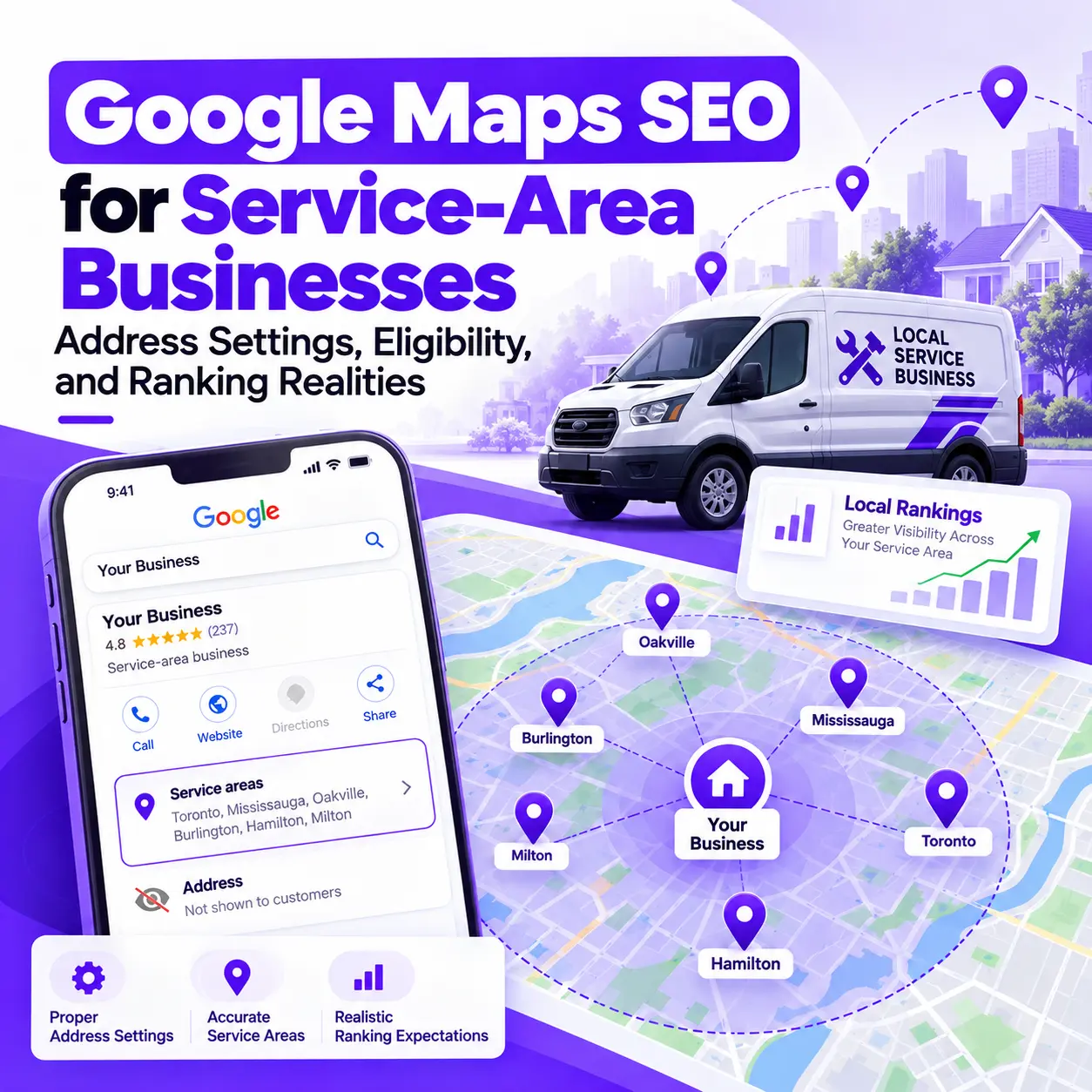
Service-area businesses can appear on Google Maps without publicly displaying their street address, provided they meet Google’s eligibility requirements. If customers are not served at the business address, that address should be hidden and the service area configured accurately. However, adding more service areas does not guarantee better rankings throughout those locations. Google Maps visibility still depends on relevance, distance, prominence, competition, and other factors.
For plumbers, electricians, cleaning companies, contractors, mobile repair providers, and other businesses that travel to customers, understanding these distinctions is essential. The right approach is to establish eligibility, configure the Google Business Profile correctly, and then focus on improvements that genuinely support local visibility.
This guide explains how service-area businesses should manage their address settings, select service areas, understand local ranking factors, and diagnose visibility problems without relying on misleading SEO tactics.
What Is a Service-Area Business on Google Maps?
A service-area business (SAB) is a business that visits customers or delivers services directly to them rather than serving customers at its own business address.
For example, a plumber may operate from a home or office but travel to customers’ properties to complete repairs. A cleaning company may coordinate operations from a central base while sending employees to residential and commercial locations.
These businesses can be eligible for a Google Business Profile even when they do not have a customer-facing storefront.
According to Google’s guidelines for representing a business, eligibility depends on how the business actually operates. Simply having a website, a registered business name, or a mailing address does not automatically make a business eligible.
Service-Area Business vs. Hybrid Business vs. Storefront Business
Before adjusting your Google Business Profile, identify which business model accurately describes your operations.
Business type | How it operates | General address guidance |
Service-area business | Travels to customers and does not serve them at its business address | Hide the address from customers and specify the service area |
Hybrid business | Serves customers at its premises and also travels to them | May display an eligible customer-facing address and specify service areas |
Storefront business | Customers visit the business at its physical location | Display the eligible address according to Google’s guidelines |
A business should not choose a profile type based on which option it believes will rank better. The classification must reflect the real-world business model and satisfy Google’s applicable requirements.
For example, a contractor who works exclusively at customers’ properties generally fits the service-area model. A repair shop that receives customers at its staffed premises and also offers on-site repairs may qualify as a hybrid business.
The distinction matters because the appropriate address settings, eligibility requirements, and customer expectations differ.
Which Businesses Typically Qualify?
Common examples of service-area businesses include:
- Plumbing, electrical, and HVAC contractors who visit customers.
- Residential and commercial cleaning companies.
- Mobile mechanics and repair professionals.
- Pest control and property maintenance providers.
- Contractors and tradespeople who work at customers’ properties.
- Other eligible providers delivering services directly to customers.
These examples are not automatic eligibility guarantees. The business must meet Google’s policies and genuinely provide eligible in-person services.
Online-only businesses that do not meet the requirements for a Business Profile should not create one simply to target local searches.
Are Virtual Offices and Coworking Spaces Eligible?
A virtual office used only for mail, business registration, or address verification does not qualify as an eligible business location merely because the company rents it.
Google’s guidelines also place conditions on coworking spaces. The business must meet the applicable requirements, including clear signage, staffing by its own employees during business hours, and the ability to receive customers at the location.
If a business travels to customers and does not serve customers at its base, it should use the service-area business model rather than presenting an ineligible mailing address as a storefront.
Review Google’s official business representation guidelines before establishing or changing a profile. Getting eligibility right is more important than attempting to optimize a profile that does not meet the rules.
Should a Service-Area Business Show or Hide Its Address?
For a business that travels to customers and does not serve customers at its own address, Google’s guidance is clear: hide the business address from customers.
This is a policy requirement, not an optional SEO experiment.
When Should You Hide Your Business Address?
You should generally hide your address when your business operates from a home, office, or other base but customers do not visit that location to receive your services.
For example, a home-based electrician may manage the business from a residential property but visit customers throughout the working area.
The appropriate setup is to:
- Represent the business accurately in the Google Business Profile.
- Configure the profile as a service-area business when the eligibility requirements are met.
- Remove the customer-facing street address from the profile.
- Specify the actual areas the business serves.
- Keep the business information consistent with its real-world operations.
Hiding the public address does not mean using an invented location or misrepresenting where the business operates. Google may still need the genuine business location for verification and other profile-management purposes.
For the official procedure, consult Google’s instructions for managing service areas.
When Can a Service Business Display Its Address?
A business may be able to display its address if customers genuinely visit an eligible business location.
For a hybrid business, the premises must satisfy Google’s applicable eligibility requirements. These may include the business being staffed during the stated hours, having the required signage, and being able to receive customers at the location.
A business does not become eligible to display an address simply because it has an office, leases a room, or owns property.
If the company no longer serves customers at its listed premises, reassess the profile type and address settings rather than keeping the address public to pursue perceived ranking advantages.
Does Hiding Your Address Hurt Google Maps Rankings?
This is one of the most common concerns among service-area business owners.
The important distinction is between Google’s address-display requirements and the way its ranking systems evaluate local businesses.
Google publicly identifies relevance, distance, and prominence as the principal factors in local ranking. Its documentation does not provide enough detail to guarantee how every address-related signal affects every service-area profile.
Independent testing also deserves attention. In an October 2024 study, Whitespark reported that changing the service-area selections on a tested profile did not improve its local rankings. That finding challenges the assumption that selecting a city automatically helps the profile rank there, but it is not proof that every profile will behave identically.
Read Whitespark’s service-area ranking test.
The practical conclusion is straightforward: do not expose an address publicly when Google requires it to be hidden. Address settings should reflect business eligibility and actual operations, not speculative ranking tactics.
Hiding an address also does not guarantee that distance will stop affecting local visibility. A business should assess its ranking performance independently rather than assuming the address setting alone explains the results.
How to Configure Google Business Profile Service Areas Correctly
After confirming the correct business type and address treatment, configure the service-area settings to represent the places where your business genuinely operates.
Google explains that these settings help customers understand where a business provides its services. They should not be treated as a tool for manufacturing geographic rankings.
Step 1: Confirm Your Business Type and Profile Information
Before changing the service area, review the profile’s core information.
Check that the business name reflects its real-world name, the selected primary category accurately describes its principal activity, the contact information is correct, and the address settings reflect the actual business model.
Also verify whether the profile is eligible and whether any existing location information needs correction.
These checks help prevent a common mistake: changing geographic settings when the underlying issue is incorrect business information or an ineligible profile.
Step 2: Add the Areas You Genuinely Serve
Google allows eligible service-area and hybrid businesses to specify up to 20 service areas.
Areas can be selected using supported geographic designations, such as cities, postal codes, or other available areas. Google does not allow service areas to be configured as an arbitrary radius around the business.
Google also advises that the overall service area generally should not extend more than about two hours of driving time from the business base, although a larger area may be appropriate in some circumstances.
These are configuration guidelines, not a formula for achieving rankings across the selected locations.
For the current rules and editing steps, see Manage your service areas on Google Business Profile.
Step 3: Prioritize Accuracy Over Geographic Coverage
Adding every nearby town is not necessarily useful.
Instead, identify where the business currently accepts work, where it can reliably deliver its services, and which geographic areas accurately represent its operations.
A practical process is to:
- List the locations where the business genuinely provides services.
- Select the corresponding geographic areas supported by Google’s interface.
- Remove locations that the business no longer serves.
- Avoid selecting distant areas solely because they contain attractive keywords or potential customers.
- Revisit the settings when the actual service coverage changes.
The goal is an accurate and useful profile. Filling all 20 available service-area slots is not a ranking strategy in itself.
Step 4: Review the Saved Settings
After making changes, verify that the edits were saved and that the public-facing profile reflects the intended business information.
Check that the address is hidden when required, the service areas represent the actual coverage, and the overall configuration is consistent with Google’s eligibility rules.
Google notes that approved service-area edits may take up to 48 hours to appear on the profile. Check the current guidance if an update does not appear, and do not assume every change will be processed within a guaranteed timeframe.
Service-Area Configuration Checklist
Before considering the setup complete, confirm that:
- The business qualifies for a Google Business Profile.
- The selected profile type accurately represents its operations.
- The address is hidden if customers are not served at that location.
- The selected service areas represent the actual operating area.
- The profile does not exceed the 20-area limit.
- Business information remains accurate and consistent.
Once these requirements are satisfied, focus on the wider factors affecting relevance, distance, and prominence.
How Google Maps Rankings Really Work for Service-Area Businesses
Correct profile settings establish an accurate foundation, but they do not guarantee prominent visibility in every area a business serves.
Google identifies three principal factors for local ranking: relevance, distance, and prominence. Understanding the difference between them helps explain why a business may appear prominently for a nearby search but not for an otherwise similar search farther away.
Google’s official explanation of local ranking factors is the best starting point.
Relevance: How Well the Business Matches the Search
Relevance refers to how well a Business Profile matches what someone is searching for.
A business offering plumbing repairs, for example, needs a profile that accurately represents its services and business category. A vague or inaccurate profile may be less useful for matching relevant searches.
Actions that support an accurate, relevant profile include:
- Choosing the most appropriate primary business category.
- Adding additional categories only when they genuinely apply.
- Providing accurate business information.
- Describing the services the business actually offers.
- Keeping opening hours, contact information, and other details current.
These practices help Google and potential customers understand the business.
However, relevance should not be confused with keyword repetition. Adding a town name or a list of service keywords to the business name when they are not part of its real-world name is not a legitimate shortcut. Google’s guidelines require the business name to reflect its actual identity.
Distance: Why the Searcher’s Location Matters
Distance refers to how far the business is from the person searching. Google may use the searcher’s known location when determining which nearby businesses to display.
This explains an important characteristic of Google Maps SEO: local results can differ depending on where the search takes place.
A cleaning company may appear prominently in searches near its base but receive less visibility when the searcher is farther away. Its service-area settings can accurately communicate the locations it serves without ensuring the same ranking throughout that entire area.
This is why assessing local visibility requires more than one search from a single location.
Prominence: Why Reputation and Authority Matter
Prominence relates to how well-known a business is.
Google’s explanation identifies information from across the web, including links and customer reviews, as relevant to understanding a business’s prominence. Reviews and positive ratings can help local ranking, although no particular review count or rating guarantees a specific position.
Businesses can build a stronger local presence by earning genuine reviews, maintaining accurate information, developing a useful website, and establishing relevant online references.
These activities should support the real business and its customers. They should not involve fabricated reviews, manipulative link schemes, or misleading claims.
Do Service-Area Settings Expand Your Ranking Reach?
Not automatically.
The service-area field communicates where the business provides its services. It should not be interpreted as a list of geographic ranking targets that Google will automatically reward.
Whitespark’s 2024 testing examined whether adding service areas improved rankings for a particular profile. The reported tests did not show a ranking improvement after the selected service areas were changed.
The study is useful because it tests a specific claim instead of assuming that a setting affects rankings simply because it appears in the profile interface. However, it remains a limited experiment rather than a complete description of Google’s systems.
The sensible approach is to select service areas accurately while treating ranking performance as a separate question.
If a business does not appear for a relevant search in a particular area, investigate the competition, search intent, relevance, distance, prominence, and wider online presence. Repeatedly adding locations without evidence is unlikely to solve the underlying problem.
Google Maps Rankings vs. Local Organic Rankings
Google Maps visibility and organic website rankings are related, but they are not the same thing.
Google Maps and the Local Pack display eligible business profiles for relevant local searches. Organic results can include service pages, informational articles, and other website pages that answer the searcher’s query.
A service-area business may find that its website attracts visitors for relevant searches in locations where its Business Profile is not especially prominent.
For example, a business might develop a genuinely helpful page explaining the services it provides in a particular market. That page may have an opportunity to attract relevant organic traffic if it offers useful, original information and satisfies the query.
However, ranking an organic page does not guarantee that the associated Business Profile will rank prominently in Google Maps for the same location.
Keep the two objectives distinct when planning and measuring your strategy.
What Can Actually Improve Google Maps Visibility for a Service-Area Business?
Once the profile meets eligibility requirements and has accurate settings, focus on the improvements most relevant to the business’s current situation.
There is no universal checklist that guarantees a particular Maps position. The right priorities depend on the business, its market, its competitors, and the reason for its existing visibility problems.
Improve Google Business Profile Relevance and Accuracy
Review the profile to ensure it represents the business clearly.
Start with the primary category, justified additional categories, business hours, contact information, and service details. Check whether the services described in the profile match the services the business actually provides.
Relevant, genuine photos may also help customers understand the business, its team, and its work. Keep profile information current and use available features when they are appropriate for the business.
The objective is not simply to make the profile appear complete. It is to make the information accurate and useful to both Google and prospective customers.
For more detailed guidance, see Google Business Profile Optimization.
Build Genuine Customer Trust and Review Activity
Reviews can help customers evaluate the quality and reliability of a service provider, and Google identifies reviews as one of the sources relevant to local prominence.
Develop a process for asking genuine customers to share honest feedback. Respond professionally to reviews, address legitimate concerns, and use recurring feedback to improve the customer experience.
Do not purchase reviews, fabricate customer experiences, or use misleading practices to manipulate ratings.
A business should not chase a particular review count on the assumption that crossing a fixed threshold will secure a Maps ranking. Focus on authentic customer feedback and a consistent service experience.
Align the Website With the Business and Its Services
A useful website supports a coherent local-search presence.
Review the relationship between the Business Profile and the website’s service pages. Make sure visitors can understand what the business offers, how to contact it, and whether its services match their needs.
For businesses operating across multiple genuine service locations, location-specific website content may be useful when it answers distinct customer questions or provides meaningful information about service availability.
Avoid creating large numbers of nearly identical pages that change only the town name. Such pages can become doorway pages if their primary purpose is to manipulate search rankings or funnel users to the same destination without providing meaningful value.
Google’s Search spam policies explain why doorway abuse and other manipulative practices should be avoided.
Quality and relevance matter more than producing a page for every area listed in the Business Profile.
Strengthen the Wider Local-Search Presence
Depending on the business, supporting work may include maintaining accurate information across relevant business directories, earning legitimate local links, publishing useful content, improving the technical condition of the website, and reviewing customer feedback.
These activities should be prioritized according to the evidence.
For example, fixing incorrect core business information may be more important than building additional citations. A website with weak service pages may need better content before more link-building work makes sense. Another business may first need to resolve a profile eligibility issue.
A practical strategy evaluates the entire local-search presence rather than treating every possible optimization task as equally important.
Why Is Your Service-Area Business Not Ranking on Google Maps?
When a business is missing from local results or ranks inconsistently, changing its address or adding more service areas should not be the automatic response.
Start by identifying the symptom, investigating its possible causes, and selecting a response that addresses the evidence.
Symptom | What to investigate | Recommended next step |
The profile is not appearing | Eligibility, verification, profile status, and query relevance | Confirm eligibility and check the profile’s current status |
The profile performs better near its base | Searcher distance, competition, relevance, and prominence | Compare visibility across multiple geographic points |
The business serves an area but does not rank there | Assumptions about service-area settings, competition, distance, and query intent | Evaluate the wider local-search factors rather than repeatedly adding areas |
The profile does not match relevant searches | Primary category, services, and business information | Correct inaccurate information and review category relevance |
Rankings vary between nearby search locations | Differences in searcher location, competing businesses, and query context | Use comparable searches from consistent geographic points |
Visibility exists but inquiries remain low | Service relevance, profile quality, customer expectations, and conversion paths | Review the customer journey and available performance data |
A settings change is not appearing | Whether the change was saved or approved and whether Google has processed it | Recheck the settings and allow for the stated processing period |
What Should You Check Before Making More Profile Changes?
Use this diagnostic order to avoid unnecessary edits:
- Verify eligibility and status. Confirm that the business qualifies and that the profile is verified and in good standing.
- Check address and service-area settings. Ensure they reflect the actual operations and comply with Google’s guidelines.
- Review profile relevance. Examine the primary category, services, and accuracy of the business information.
- Compare local competition. Evaluate how other relevant businesses present their services and build prominence.
- Review the website. Identify relevant content, technical, internal-linking, or location-targeting issues.
- Measure visibility from multiple points. Compare similar searches rather than relying on a single ranking screenshot.
- Prioritize evidence-based changes. Record what changed and monitor the relevant outcomes.
If several issues appear to be contributing to poor performance, a structured Local SEO audit can help identify which problems deserve attention first.
Why a Single Ranking Screenshot Is Not Enough
A screenshot shows a result for a particular search context. It does not necessarily show how a business performs across its entire service area.
When evaluating Maps visibility, use comparable queries and consistent geographic reference points. A local rank-grid tool may help visualize how visibility varies across an area, but its measurements should be interpreted alongside the business’s profile, competitors, and available performance data.
The purpose of measurement is to identify patterns and opportunities, not to chase every ranking fluctuation.
How Should You Measure Google Maps Performance?
Rankings are useful diagnostic information, but they are not the whole business objective.
A sound measurement process considers visibility, customer interactions, and meaningful business outcomes together.
Track Visibility From Multiple Geographic Points
If a business serves a broad geographic area, evaluate its visibility from more than one point.
Use the same relevant search queries and comparable measurement settings when comparing results over time. Record significant profile or website changes so that you can investigate whether they correspond with shifts in visibility.
Do not assume that one result represents every customer in the area. Nor should a rank-grid report be treated as a direct explanation of Google’s ranking algorithm.
Monitor Profile Interactions and Customer Outcomes
Where available, review Google Business Profile performance information and other relevant measures, such as:
- Search visibility and profile interactions.
- Website visits associated with relevant organic searches.
- Calls or inquiries that can be attributed reliably.
- Qualified leads and completed customer engagements, where tracking is available.
Different metrics answer different questions. Visibility indicates whether potential customers may be encountering the business. Interactions show whether some users take action. Qualified leads and customer outcomes help evaluate business value.
More impressions do not automatically mean more revenue, and a ranking improvement does not guarantee that the inquiries will be suitable for the business.
Evaluate Changes Responsibly
Record important changes, their implementation dates, and the results you observe.
Allow sufficient time to assess patterns, while remembering that competitors, seasonality, business operations, and searcher locations may also change.
Avoid attributing every improvement or decline to one profile setting. Where possible, assess several relevant signals before deciding whether a change was beneficial.
Common Google Maps SEO Mistakes Service-Area Businesses Should Avoid
Several mistakes arise from confusing profile compliance with ranking optimization.
Displaying an address that should be hidden. If customers are not served at the business address, follow Google’s address-visibility requirements instead of exposing it for SEO purposes.
Using an ineligible virtual office. A rented address is not sufficient if the business does not meet Google’s location requirements.
Adding service areas as a ranking shortcut. Selecting additional towns does not guarantee rankings in those places.
Selecting areas that the business does not genuinely serve. Service-area information should accurately describe the business’s actual operations.
Adding keywords to the business name. The name should represent the real-world business, not a list of services or target locations.
Creating duplicate profiles without eligibility. A service-area business generally should have one profile for the area it serves. Separate profiles may be allowed for genuinely distinct eligible locations that meet Google’s requirements.
Publishing thin pages for every town. Location pages should serve a real user need and provide meaningful information, not exist solely to manipulate rankings.
Manipulating reviews or links. Fake reviews, misleading practices, and spam tactics undermine trust and may violate Google’s policies.
Judging performance from one search. Local results vary with search context, so use consistent measurements across relevant geographic points.
The best strategy is to build an accurate, useful, and trustworthy local presence while following the current Google Business Profile guidelines and Google Search spam policies.
Frequently Asked Questions About Google Maps SEO for Service-Area Businesses
Can a service-area business rank on Google Maps without showing its address?
Yes. An eligible service-area business can appear on Google Maps without publicly displaying its street address. When customers are not served at the business address, Google says the address should be hidden and the service area configured appropriately. Visibility still depends on local ranking factors, and appearance is not guaranteed for every search.
Does adding more service areas improve Google Maps rankings?
Do not assume that adding more service areas will improve rankings. Google describes these settings as a way to communicate where a business operates, while local rankings depend on relevance, distance, and prominence. Independent testing has found no direct ranking improvement from service-area changes in the profiles examined.
Should a home-based service business hide its address on Google Business Profile?
If customers do not visit the business at its home address, the business should hide that address on its Google Business Profile. It can still define the areas it serves. A business that also receives customers at its premises may qualify for hybrid treatment if it meets Google’s applicable requirements.
How many service areas can I add, and how far can they extend?
Google allows up to 20 service areas, selected using supported geographic designations such as cities or postal codes. The overall area generally should not extend beyond about two hours of driving time from the business base, although larger areas may be appropriate in some cases. Service areas are not configured as an arbitrary radius.
Can I use a virtual office or coworking address for a Google Business Profile?
A virtual office where your business does not actually operate is not eligible simply because you rent the address. Coworking premises must meet Google’s conditions, including appropriate staffing, signage, and the ability to receive customers during business hours. Eligibility depends on the genuine operation of the business, not merely access to a mailing address.
Final Thoughts: Focus on Accurate Settings and Realistic Ranking Opportunities
Google Maps SEO for service-area businesses begins with getting the fundamentals right.
Your business must qualify for a Google Business Profile, use the correct profile type, handle its public address appropriately, and select service areas that reflect its actual operations. Those steps establish a compliant and accurate foundation, but they do not guarantee prominent rankings in every location.
Improving visibility requires a broader understanding of relevance, distance, prominence, competition, website quality, customer trust, and the relationship between the Business Profile and the business’s wider online presence.
When a profile is configured correctly but visibility remains weak, investigate the cause before making more changes. The right diagnosis is more valuable than repeatedly editing service areas in the hope that rankings will improve.
Need Help Improving Your Google Maps Visibility?
If your business is eligible but struggles to appear for relevant local searches, the next step is to identify the opportunities and issues specific to your profile, website, and competitive environment.
Explore Freelancer Tawhid’s Google Maps SEO services to learn how a structured optimization strategy can help assess your local-search presence and identify practical improvement opportunities.
If you need a broader diagnosis of your profile, website, and local SEO signals first, consider a Local SEO audit.
The objective is not to promise a particular ranking. It is to understand what is limiting your visibility and determine which improvements are justified by the evidence.