
Google Maps SEO for Multi-Location Businesses: Profiles, Location Pages, and Duplicate Risks

Freelancer Tawhid
SEO Expert and Consultant
- October 12, 2026
- 1 Comment
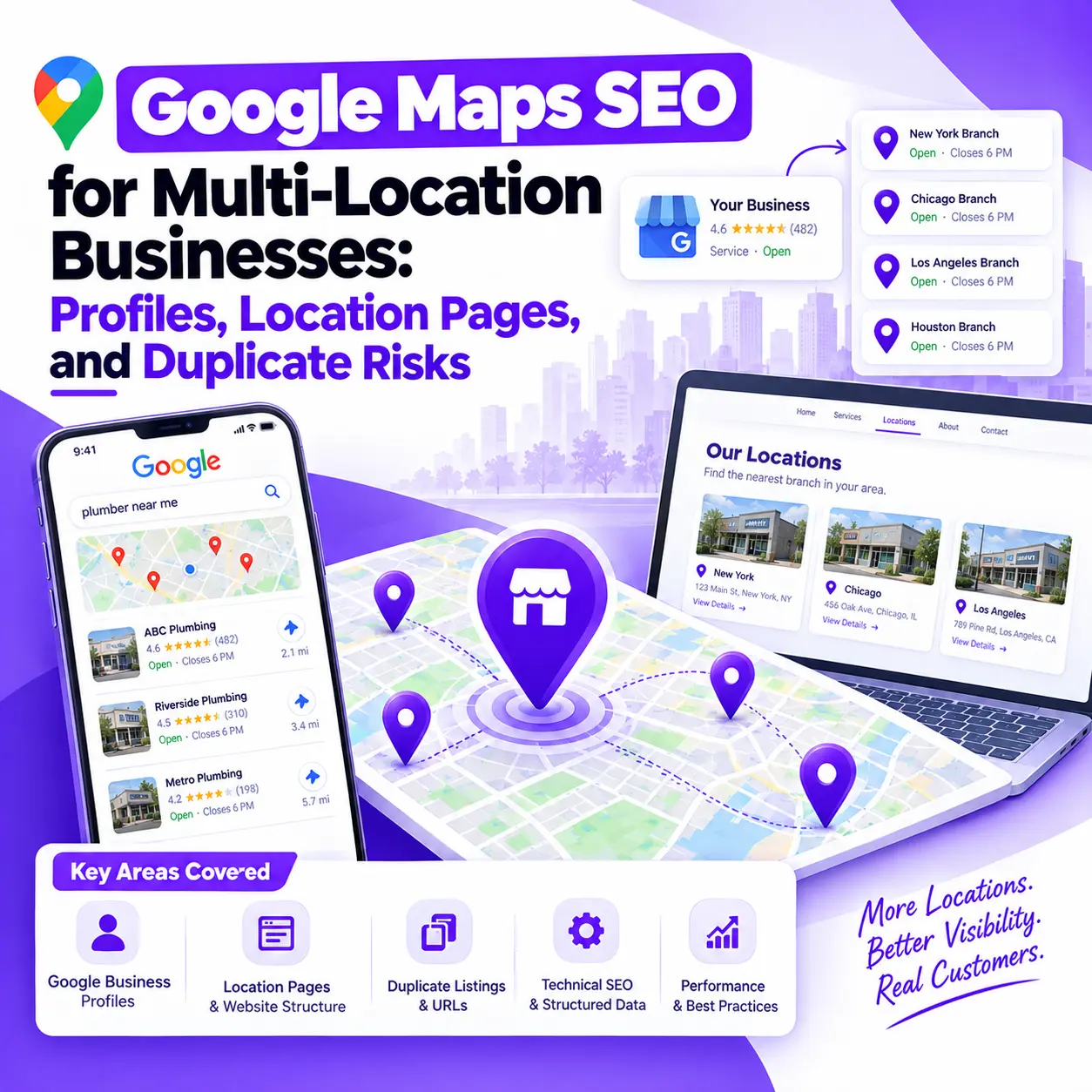
Managing Google Maps SEO for a multi-location business requires more than optimizing several Google Business Profiles. You need an accurate profile for each eligible location, useful website location pages, consistent business information, and a clear strategy for identifying duplicate listings and competing URLs. The goal is to help customers find the right branch while building a website structure that supports relevant local search visibility.
For businesses with multiple branches, franchises, retail outlets, clinics, or service teams, the challenge is maintaining consistency without treating every location as identical.
Creating more profiles or publishing more location pages does not automatically improve visibility. Each profile must represent an eligible business, and each website page should serve a clear purpose for customers.
This guide explains how to plan, optimize, audit, and maintain a multi-location Google Maps SEO strategy, including the most important eligibility rules, location-page decisions, duplicate risks, and performance metrics.
1. What Is Google Maps SEO for Multi-Location Businesses?
Google Maps SEO for multi-location businesses is the process of improving a company’s local search presence across its eligible physical locations. It involves managing Google Business Profiles, aligning each profile with the appropriate website destination, maintaining accurate business information, and making location pages useful and discoverable.
Unlike a single-location business, a multi-location organization must manage these elements across several branches without mixing information, creating unnecessary listings, or publishing competing pages.
How Google Business Profiles, Google Maps, and Location Pages Work Together
These assets have different responsibilities within a local search strategy.
Google Business Profile represents an eligible business on Google. It provides information such as the business name, address or applicable service-area configuration, contact details, business hours, and other relevant information.
Google Maps and local search results help users discover businesses that match their needs and geographic context.
Website location pages provide additional information about a particular branch, including available services, opening hours, directions, facilities, contact details, and booking or inquiry options.
A locations directory helps visitors navigate between branches and find the most relevant destination.
For example, a customer might discover a dental clinic in Google Maps, review its ratings and opening hours, visit the corresponding location page, and then book an appointment.
Each component should communicate an accurate representation of the same real-world business location.
Optimizing one component does not eliminate the need to maintain the others. A complete Google Maps SEO strategy considers how a business’s profile, website, and other relevant local signals work together.
How Does Google Determine Local Search Visibility?
Google identifies three primary factors in local rankings:
- Relevance: How well a business matches what someone is searching for.
- Distance: How far the business is from the searcher or the location specified in the search.
- Prominence: How well-known the business is, informed by signals that can include links, reviews, and information about the business across the web.
These factors are explained in Google’s official guide to improving local ranking on Google.
A multi-location business should therefore optimize each eligible location around its actual services, accurate business information, and relevant website content.
However, the same optimization work will not necessarily produce equal rankings for every branch. Search context, distance, competitors, and the individual location’s circumstances can all affect visibility.
2. Which Business Locations Need Their Own Google Business Profile?
The first step is to establish which locations are eligible for a Business Profile before creating or optimizing listings.
A business should not create separate profiles simply because it serves several cities, targets different keywords, or offers multiple services.
Google’s guidelines for representing a business require profiles to reflect the actual business accurately and generally allow only one profile per business, with provisions for separately eligible locations, departments, and other qualifying business arrangements.
When Does a Physical Branch Qualify for Its Own Profile?
A genuine branch may qualify for its own profile when it meets Google’s requirements for a business location.
Before creating a listing, confirm that:
- The location represents a real business operation.
- The business meets the applicable eligibility requirements.
- The location information is accurate.
- The business name reflects how the business is represented in the real world.
- The address, signage, staffing, and customer access meet the applicable rules.
- An existing profile does not already represent the same business at that location.
A business with several eligible retail branches can generally manage a profile for each qualifying branch.
However, a mailing address, virtual office, or nominal location that does not meet Google’s requirements should not be treated as a legitimate branch merely to gain additional Maps visibility.
Storefront, Service-Area, and Hybrid Businesses
Different business models require different profile arrangements.
Business model | Appropriate profile approach |
Storefront business | Maintain profiles for eligible physical business locations. |
Service-area business | Generally maintain one profile for the business’s service area when it operates from one central location. |
Hybrid business | Follow the relevant rules for a business that serves customers at its location and also travels to customers. |
Multi-location service business | A separate profile may be appropriate for each genuinely distinct, eligible operating location with its own staff and service area. |
For example, a plumbing business operating from one base and serving customers across several cities should not create a profile for each city simply to target more searches.
A service business with several actual operating locations, separate staff, and distinct service areas may qualify for a profile at each location.
Google’s official service-area business guidance explains the applicable requirements.
Can Two Businesses Share the Same Address?
Yes. Two distinct, eligible businesses may have separate Google Business Profiles at the same address when they meet Google’s requirements.
For example, two independent businesses operating from the same commercial building may qualify separately if they are genuinely distinct and have appropriate, distinguishable business identities.
However, different services offered by one business do not automatically justify separate listings.
Before treating two profiles as duplicates or creating another profile, check the business relationship, eligibility, naming, signage, and applicable exceptions.
Google’s duplicate-profile guidance explains how to handle multiple businesses at one address.
How Should Franchises and Chains Standardize Their Profiles?
Multi-location brands need consistent management without forcing every branch to have identical information.
Standardize the elements that should follow brand guidelines, such as naming conventions, profile ownership procedures, quality control, and reporting.
Keep location-specific details accurate, including:
- Opening hours and special hours.
- Branch contact information.
- Services genuinely available at that location.
- Facilities and accessibility details.
- Website destinations and appointment options.
Do not add city names or promotional keywords to profile names unless they form part of the business’s legitimate, real-world name under Google’s policies.
The objective is consistency of standards and accuracy of location information, not identical profiles regardless of the circumstances.
3. How to Manage Google Business Profiles Across Multiple Locations
Once location eligibility has been established, the next priority is to create a reliable management process.
Follow the One-Eligible-Location, One-Profile Principle
Start by auditing the profiles that already exist rather than immediately creating new ones.
Build a location inventory containing:
Inventory field | Why it matters |
Location ID | Provides an internal identifier for each branch. |
Real-world business name | Helps verify that the profile represents the correct business. |
Address or service-area configuration | Confirms that the location information matches the actual operating model. |
Business Profile URL | Makes the listing identifiable during audits. |
Ownership and verification status | Helps identify access and verification problems. |
Main business category | Supports appropriate categorization. |
Phone number and website URL | Helps verify accurate customer destinations. |
Operational status | Identifies active, relocated, or closed locations. |
This inventory is an audit tool. It is not a reason to create a new profile for every row.
Use a Consistent Profile Management Process
Businesses managing several locations should establish clear responsibilities for central marketing teams, franchise operators, and branch managers.
Google Business Profile Manager can help organizations manage multiple profiles. Larger businesses may also qualify for bulk-management procedures, subject to Google’s current requirements.
Regardless of the management method, establish a process for reviewing profile information, handling ownership changes, updating hours, and documenting branch openings, closures, and relocations.
Do not assume that every profile needs the same changes at the same time. The information must reflect the individual location.
Link Each Profile to the Appropriate Website Page
Where a useful, dedicated location page exists, the corresponding Business Profile should generally link to that branch’s page.
For example, the profile for Branch A should lead to Branch A’s information rather than sending visitors to Branch B or a generic page that does not meet their needs.
A location-specific page can provide contact details, opening hours, directions, available services, and booking options.
Before changing profile URLs, create a simple mapping between the business location and its preferred website destination.
This mapping helps prevent incorrect links, inconsistent branch assignments, and multiple URLs representing the same location unnecessarily.
4. How to Structure Website Location Pages for Multi-Location SEO
The purpose of a location page is to help users understand a specific business location and take the next appropriate action.
A dedicated page for every genuine branch can be useful, but there is no universal requirement to create one page per city, service area, or geographic keyword.
Create a Clear Locations Hub and Page Hierarchy
A logical structure might look like this:
/locations/
/locations/branch-one/
/locations/branch-two/
/locations/branch-three/
This is an illustrative structure, not a mandatory URL format. Existing websites may use a different organization that works equally well.
A locations hub should help visitors discover the available branches. Individual location pages should provide the information relevant to each branch.
Where appropriate, link location pages to relevant service pages, the main locations directory, and other destinations that help customers make decisions.
Keep the structure understandable and crawlable. Avoid creating multiple unnecessary URLs to represent the same branch.
What Should an Effective Location Page Include?
A useful location page should answer practical questions about the branch it represents.
Depending on the business, include:
- A clear location-specific title and heading. Identify the actual branch and the service or business it represents.
- Accurate contact information. Provide the correct address, phone number, and other applicable contact details.
- Opening hours. Show current operating hours and relevant holiday or special-hour information.
- Available services. Explain which products, services, facilities, or capabilities are genuinely available at that branch.
- Directions and accessibility information. Include useful access, parking, or transportation details where relevant.
- Genuine photographs or branch information. Use real information that helps customers understand the location.
- Relevant conversion options. Provide an appropriate call, booking, appointment, or inquiry action.
- Useful internal links. Connect the location to relevant services and the locations directory.
- Location-specific customer information. Address common questions that genuinely differ between branches.
Not every location needs all these elements. The right content depends on the business and what customers need to know.
How Much Unique Content Does Each Location Page Need?
Google does not prescribe a universal word count or percentage of unique text for location pages.
Instead, the important question is whether each page serves a useful purpose and provides accurate information that matters to customers.
It is reasonable for branches of the same business to share brand descriptions, service explanations, and standard company information. Requiring every sentence to be different would create unnecessary work without necessarily improving usefulness.
However, pages become less useful when they merely replace one city or branch name with another while providing little location-specific information.
Consider a repair company with three branches. All three pages might explain the company’s repair process. But each page should also accurately describe its branch’s contact information, opening hours, available services, and access details.
That gives users a practical reason to visit the correct page.
Google’s spam policies identify doorway abuse as a risk when similar pages target related searches without providing a genuinely useful destination or when multiple pages funnel visitors toward the same final destination.
The goal is not to make every page artificially different. It is to make every page genuinely useful for the location it represents.
Should You Create Pages for Every City You Serve?
No. A geographic target does not automatically represent a separate business location.
Distinguish between:
- A real branch with its own operating details.
- An existing branch serving customers across a wider area.
- A regional overview that helps users understand service coverage.
- A city page created primarily to capture another search variation without providing meaningful value.
For example, a business operating from one eligible base may serve several cities without establishing additional branches.
It may need a clear service-area explanation, but it should not automatically create a separate Google Business Profile or a repetitive landing page for each city.
Create geographic pages when they serve a real user need and contain useful information relevant to that purpose.
How to Prevent Competing Location URLs
Website duplication can occur when multiple URLs represent the same branch and target essentially the same search intent.
For instance, a business might have an old branch page, a redesigned location page, and a new landing page that all compete to represent the same location.
Before removing or consolidating URLs, review their purpose, content, internal links, backlinks, organic traffic, indexing, and conversions.
Then decide whether to:
- Improve the existing page.
- Differentiate pages that serve genuinely different purposes.
- Consolidate redundant content into the most appropriate destination.
- Redirect a retired URL when a suitable replacement exists.
- Update internal links and sitemaps following a change.
Canonical tags can help communicate the preferred version of duplicate or substantially overlapping pages. They are not a reason to canonicalize every distinct branch page to the homepage.
Different location pages should remain separate when they genuinely represent different branches and provide useful, accurate information.
5. Connect Profiles, Location Pages, and Technical SEO
A well-structured multi-location website needs more than accurate copy. Its technical setup should also help users and search engines understand the relationship between the business and its branches.
Keep Business Information Accurate Across the Web
Review important business information across Google Business Profiles, website location pages, and relevant directories.
The information to check includes:
- Business name.
- Address and location details.
- Phone number.
- Opening hours.
- Available services.
- Website destination.
- Operational status.
Consistency does not mean every branch must use identical details. Different opening hours and phone numbers are appropriate when they accurately represent different locations.
If you discover outdated listings or incorrect business information, correct the source information and update the affected destinations.
Where relevant, a Local Citation Building service can help businesses identify and address inconsistent or duplicate directory records.
Use Appropriate LocalBusiness Structured Data
LocalBusiness structured data can help describe a real business location and provide information such as its name, address, and opening hours.
For eligible location pages, use the most specific applicable business subtype and properties that accurately represent the business.
Follow Google’s LocalBusiness structured data documentation and validate the implementation before publishing.
Keep these principles in mind:
- Structured data must accurately represent the page and business.
- Do not mark up locations that do not exist or misrepresent the business’s operations.
- Use location-specific information where it applies.
- Validate the structured data and investigate relevant errors.
- Do not assume that valid markup guarantees rich results or higher rankings.
Structured data supports accurate understanding; it does not substitute for useful content, eligibility, or sound website architecture.
Make Location Pages Discoverable and Crawlable
Important location pages should be accessible through crawlable internal links, not dependent solely on an XML sitemap.
Check that:
- The locations directory links to important branch pages.
- Each location page can be reached through the website’s navigation or relevant contextual links.
- Pages intended for search indexing are not accidentally blocked or marked noindex.
- Canonical tags reflect the intended preferred URL.
- Retired URLs redirect appropriately when a replacement exists.
- Page titles and headings identify the correct location.
- Relevant internal links do not point to outdated or incorrect destinations.
Google’s guide to crawlable links explains how links help Google discover pages and understand their destinations.
6. Duplicate Risks in Multi-Location Google Maps SEO
Not all duplication problems are the same. A duplicate Business Profile is a Google listing issue, while duplicate website pages and keyword cannibalization are website architecture issues.
They may occur together, but they need different remedies.
Duplicate Google Business Profiles
Google identifies several situations that can lead to duplicate profiles, including an existing verified profile for the same business, multiple listings for the same business at the same address, and separate profiles created for different services offered by one business.
According to Google’s official duplicate-profile guidance, a profile considered a duplicate will not appear on Google Search or Maps.
To investigate a potential duplicate:
- Search Google Maps and the relevant Business Profile accounts for existing listings.
- Confirm whether the records represent the same business, distinct eligible businesses, or different operating locations.
- Check the ownership and verification status.
- Claim an existing listing or request ownership when appropriate.
- Follow Google’s documented process for removing accidental duplicates, requesting a merger, or appealing an incorrect duplicate status.
- Keep supporting evidence available when Google requests it.
Do not immediately create a replacement profile or delete a listing without checking its identity and status.
Google notes that removing a duplicate from an account also removes its content and linked managers. When merging eligible duplicate profiles, reviews may be combined, but review replies may be lost. Merge requests are subject to review.
If a business has moved, update its existing profile rather than automatically creating a new one for the new address. If the business genuinely closes or undergoes a qualifying change, follow the applicable Google procedure.
Duplicate or Thin Website Location Pages
Location-page problems typically arise when many pages provide substantially the same experience and have little meaningful information for the location they target.
Potential issues include:
- Several URLs representing the same branch.
- Pages with nearly identical content and overlapping search intent.
- Unclear preferred destinations.
- Unnecessary maintenance across a large number of low-value URLs.
- Doorway-like pages that funnel users toward the same destination.
Similar page templates are not inherently problematic. A multi-location website can reuse a common design while presenting accurate information for each branch.
The important distinction is between consistent templates containing useful location-specific information and repetitive pages that exist primarily to target additional search queries.
Review each page’s purpose before consolidating it. Do not remove useful branch information simply to make the website’s content look more unique.
Keyword Cannibalization Between Pages for the Same Branch
Keyword cannibalization is a useful diagnostic term for situations in which multiple pages compete for substantially overlapping search intent.
Imagine a business has an established branch page, an older local landing page, and a new page targeting almost the same service-location combination.
Rather than immediately deleting one page, investigate:
- Which queries each URL attracts in Google Search Console.
- How the pages differ in purpose and content.
- Which URLs receive relevant traffic, backlinks, and conversions.
- How internal links connect to each page.
- Whether search engines are selecting a different canonical URL.
The right solution may be to improve differentiation, consolidate redundant pages, redirect an obsolete URL, or clarify the internal linking structure.
Not every page receiving similar keywords is a problem. The focus should be on whether the pages serve distinct user needs or unnecessarily compete for the same destination.
Inconsistent Business Details and Incorrect Profile Links
A profile might point to the wrong branch page, show outdated hours, or contain a previous address after a business relocation.
These issues can confuse customers and make the business’s online information less accurate.
For example, a customer who selects Branch A in Google Maps should not be sent to a Branch B contact page when a correct Branch A destination exists.
Use your location inventory to compare the profiles, website pages, and relevant listings. Correct the underlying business information and update the affected URLs instead of treating every mismatch as a separate ranking penalty.
Common Multi-Location SEO Misconceptions
Avoid these assumptions:
- Every city a business serves requires a separate Google Business Profile.
- Every geographic keyword deserves an individual landing page.
- Every location page must have completely different wording.
- Duplicate website content automatically triggers a penalty.
- Structured data can establish a business location that does not exist.
- Identical optimization changes will produce identical rankings for every branch.
A sound strategy follows business reality, Google’s eligibility rules, and the actual needs of users.
7. A Step-by-Step Multi-Location Google Maps SEO Workflow
Use the following workflow to organize implementation and ongoing maintenance.
Step 1: Inventory the Real Business Locations
Create a master list of genuine operating locations and record their business models, current status, contact details, and relevant eligibility requirements.
Separate physical branches from areas served by an existing location.
Deliverable: A verified location inventory.
Step 2: Audit Existing Business Profiles
Identify existing profiles, ownership and verification issues, inaccurate information, and possible duplicates.
Decide which profiles should be retained, corrected, claimed, investigated, or escalated through Google’s documented process.
Deliverable: A profile audit with a clear next action for each record.
Step 3: Map Each Location to Its Preferred Website URL
Match each eligible location to its corresponding website destination where appropriate.
Flag incorrect profile links, missing location pages, and multiple URLs representing the same branch.
Deliverable: A profile-to-URL mapping spreadsheet.
Step 4: Audit Location Pages
Review their accuracy, usefulness, search intent, internal links, indexing, canonical tags, redirects, and conversion paths.
Identify pages that need improvement, differentiation, consolidation, or removal.
Deliverable: A prioritized location-page action plan.
Step 5: Resolve Duplicate Listings and URLs
Confirm what each duplicate actually represents before changing anything.
Follow the appropriate Google procedure for Business Profile issues. For website duplication, base consolidation and redirection decisions on page purpose, performance, links, and replacement destinations.
Deliverable: A documented resolution plan.
Step 6: Implement and Validate the Location Architecture
Correct profile information and URLs, improve location pages, repair internal links, validate relevant structured data, and check redirects.
Assign responsibility for future updates so that branches remain accurate when opening hours, addresses, services, or operational status change.
Deliverable: A maintainable location SEO structure.
Step 7: Measure and Maintain Performance
Establish a baseline before major changes. Monitor Business Profile metrics, organic website performance, and relevant business outcomes.
Repeat the audit when new branches open, existing branches close or relocate, or the website undergoes a significant structural change.
Deliverable: A repeatable monitoring process.
If your business has unresolved issues across profiles, location pages, and local search structure, a Local SEO Audit can help identify which areas need attention and how to prioritize them.
8. How to Diagnose Common Multi-Location Google Maps SEO Problems
Use this table as an initial diagnostic guide.
Problem | What to investigate | Recommended action |
A Business Profile is marked as a duplicate | Existing listings, ownership, location identity, and eligibility | Confirm the correct record and follow Google’s claim, removal, merger, or appeal procedure as appropriate. |
Several profiles point to the wrong website page | Profile URLs and location-to-URL mapping | Update destinations so users reach the correct branch information. |
Multiple indexed pages represent one branch | URL history, content, intent, internal links, and canonical signals | Identify the preferred URL and consolidate redundant pages where justified. |
One service-area business has profiles for several cities | Operating bases, staff, and eligibility | Confirm whether the locations qualify separately; do not create profiles for service areas alone. |
Branch contact information conflicts across listings | Business details on profiles, websites, and directories | Correct the underlying information and update affected listings. |
One branch performs worse than another | Searcher location, relevance, competition, profile accuracy, and website alignment | Compare the available evidence for each location rather than assuming the same changes will work everywhere. |
When Should You Escalate a Duplicate-Profile Issue?
Escalation may be appropriate when ownership cannot be resolved through the normal process, a profile has been incorrectly marked as a duplicate, or Google requires additional evidence.
Prepare the relevant listing URLs, accurate location records, and evidence supporting the distinct identity and eligibility of a business where applicable.
Follow Google’s current support or appeal instructions. Do not assume that every appeal will succeed or that every case will be resolved within the same timeframe.
9. How to Measure Multi-Location Google Maps SEO Performance
A good reporting framework separates Business Profile activity, website search performance, and actual business outcomes.
Track Business Profile Performance by Location
Google Business Profile Performance provides applicable metrics that can include searches, profile views, calls, website clicks, and direction requests.
Record available metrics for each profile and compare consistent reporting periods.
Interpret these measurements carefully. A click on a call button does not necessarily prove that a call was completed, and a direction request does not confirm that a customer visited the branch.
For more detailed guidance on interpreting profile metrics, read How to Measure Google Business Profile Performance if it is available in your website’s published content.
Track Organic Website Performance for Each Location Page
Use Google Search Console to analyze search impressions, clicks, queries, and landing-page performance.
Use Google Analytics 4 to evaluate relevant website activity and configured events, such as completed booking forms or qualified inquiries.
Useful measures include:
- Organic clicks and impressions by location page.
- Search queries associated with each branch.
- Relevant conversion events and qualified leads.
- Website engagement and landing-page performance.
- Completed bookings or inquiries where reliable tracking is available.
If a Business Profile links to a location page with UTM parameters, use them consistently where useful. Remember that Business Profile website clicks and Analytics sessions are different measurements and may not match exactly.
Compare Locations Fairly
Compare branches using consistent periods and account for relevant differences, such as opening dates, available services, seasonal demand, competition, and major website or profile changes.
A single ranking check does not represent visibility across all searchers and geographic contexts.
Review profile metrics, website performance, and business outcomes together where possible, while keeping each metric’s limitations clear.
The purpose of measurement is to identify meaningful opportunities and understand whether changes are helping—not to claim success from rankings or activity alone.
10. Multi-Location Google Maps SEO Checklist
Use this checklist to review your current location SEO structure.
- Inventory all genuine business locations.
- Confirm profile eligibility for each operating location.
- Check for existing listings before creating new profiles.
- Review profile ownership, verification, and duplicate status.
- Keep business names and profile information accurate.
- Map every location to its appropriate website destination.
- Create useful location pages where they provide distinct customer value.
- Avoid unnecessary city pages and competing URLs.
- Check internal links, indexability, canonical tags, and redirects.
- Validate relevant structured data against visible page content.
- Establish performance reporting for each location.
- Document a process for branch openings, closures, relocations, and information changes.
This checklist is a practical quality-control tool, not a guarantee of rankings. Your priorities should depend on the business model, current issues, and verified opportunities.
Frequently Asked Questions
1. Does every business location need its own Google Business Profile?
Every eligible business location may have its own Google Business Profile, but eligibility depends on how the business actually operates. A business with several qualifying branches may maintain profiles for those locations. A service-area business operating from one base should not create profiles merely to represent every city it serves.
2. Can two businesses have separate Google Business Profiles at the same address?
Yes, when both are distinct, eligible businesses that meet Google’s applicable requirements. They may need clearly distinguishable business identities and signage. Two profiles should not be created simply because one business offers different services. Review Google’s guidelines before deciding whether separate listings are appropriate.
3. Does a multi-location business need a separate website page for every branch?
A dedicated page for each genuine branch is often useful, but it is not a universal Google Business Profile eligibility requirement. Create location pages when they help customers access accurate branch information. Each page should serve a clear purpose rather than exist solely to target another geographic keyword.
4. Does duplicate content on location pages cause a Google penalty?
Not automatically. Reusing accurate company descriptions and standard service information is not the same as creating doorway pages. The greater concern is publishing substantially similar pages that target overlapping searches without meaningful additional value. Review each page’s purpose and usefulness before consolidating or removing URLs.
5. How do I fix a duplicate Google Business Profile?
First, determine whether the listings represent the same business or two distinct eligible businesses. Check existing profiles and ownership before changing anything. Depending on the findings, you may need to request ownership, remove an accidental duplicate, request a merger, or appeal an incorrect duplicate status through Google’s documented process.
Conclusion: Build a Clear, Accurate Location SEO System
Effective Google Maps SEO for multi-location businesses begins with an accurate representation of the real business, not with creating the largest possible number of profiles or location pages.
Each eligible location should have the appropriate Business Profile, accurate business details, and a clear website destination where relevant. Website location pages should provide useful branch-specific information, while technical SEO and internal linking should help users and search engines navigate the structure.
Just as importantly, duplicate Business Profiles, competing website URLs, and keyword cannibalization must be diagnosed separately. The correct solution depends on the nature of the problem, Google’s applicable policies, and the purpose of each asset.
A systematic audit helps you establish which locations are represented correctly, which pages need improvement, and which duplication problems deserve priority.
Need Help With Your Multi-Location Google Maps SEO?
I’m Tawhid, an SEO Expert & Consultant at Freelancer Tawhid. I work across Local SEO and Ecommerce SEO, with an approach that begins by understanding the business, its search intent, website structure, and optimization priorities.
If you’re managing multiple locations and need help evaluating your Google Business Profiles, location pages, local search alignment, or duplicate risks, explore my Google Maps SEO services.
If you’re unsure where the problems begin, a Local SEO Audit can help identify potential issues and prioritize the next steps.
The goal is to build a practical, accurate, and maintainable local SEO system around your actual business—not to rely on unnecessary listings, repetitive pages, or promises of guaranteed rankings.
One Response