
Google Business Profile Suspended? Common Causes and How to Prepare a Reinstatement Appeal

Freelancer Tawhid
SEO Expert and Consultant
- October 12, 2026
- 1 Comment
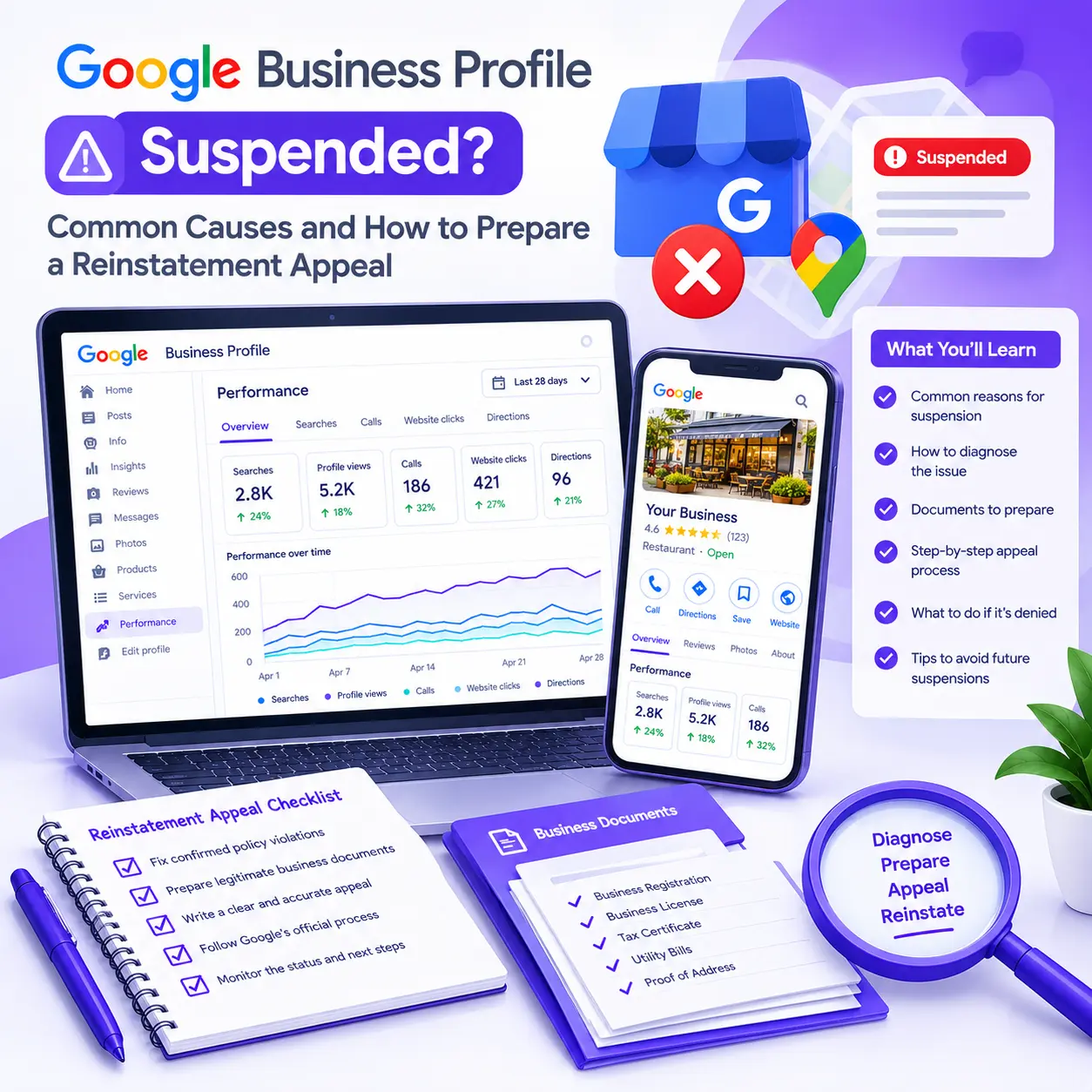
A suspended Google Business Profile can disrupt your business’s visibility on Google Search and Google Maps, making it harder for potential customers to find your business information. The right response is to identify the likely policy issue, correct any confirmed violations, prepare relevant business documents, and submit an appeal through Google’s official process. Reinstatement is not guaranteed, so careful preparation matters.
If your Google Business Profile has been suspended, avoid creating another listing or submitting an appeal without first investigating the problem. The steps you take before appealing can help you present a clearer, better-supported case.
This guide explains the common reasons for Google Business Profile suspensions, how to diagnose the problem, which documents to prepare, how to submit a reinstatement appeal, and what to do if Google rejects your request.
What Does a Google Business Profile Suspension Mean?
A Google Business Profile suspension means Google has restricted the profile because of a potential policy or eligibility issue. When a profile is suspended or disabled, customers may no longer be able to access it publicly, and its owner or managers may lose the ability to manage it.
Google explains its official process in the Fix suspended or disabled profiles guide.
Before taking action, determine exactly what has happened. A profile suspension, a restricted Google Account, a rejected profile edit, and poor local search visibility are different problems that may require different solutions.
Google Business Profile suspended vs. disabled
Google uses the terms suspended and disabled in its support documentation. Both can prevent the affected profile from operating normally, but the available options depend on the particular decision and status shown in Google’s appeals tool.
Check the status associated with the affected profile rather than relying on descriptions from emails, third-party tools, or online discussions.
Profile suspension vs. Google Account restriction
A profile-level suspension and an account-level restriction are not the same thing.
According to Google’s Business Profile suspension guidance, an account restriction can result in the suspension of Business Profiles managed through that account. The restriction must be addressed first. Once Google lifts the account restriction, you can pursue the applicable profile reinstatement process.
This distinction is particularly important if several profiles managed through the same Google Account have been affected.
Does a suspension mean your profile is permanently lost?
No. A suspension does not automatically mean that reinstatement is impossible. Google allows eligible business owners to appeal certain suspension decisions and may offer an additional review after an appeal is denied.
However, reinstatement depends on the circumstances, the applicable policies, and Google’s decision. No particular document, appeal template, or corrective action guarantees approval.
What Are the Common Reasons a Google Business Profile Gets Suspended?
Google may suspend or disable a Business Profile that does not follow its guidelines for representing businesses accurately or violates other applicable policies.
The following are common policy-risk areas worth investigating. They are not a definitive list of Google’s internal detection triggers, and a suspension occurring after a profile edit does not prove that the edit caused it.
Potential issue | What to investigate | Appropriate next step |
Business name violations | Extra keywords, promotional phrases, or information that is not part of the real-world business name | Make sure the profile name accurately represents the business |
Ineligible or inaccurate address | Virtual offices, remote mailboxes, or a location that does not meet Google’s requirements | Verify location eligibility and the correct business configuration |
Duplicate profiles | Multiple listings representing the same business at the same location | Investigate ownership and resolve the issue according to Google’s guidelines |
Ineligible business model | Whether the business genuinely qualifies for a Business Profile | Check eligibility before submitting an appeal |
Inaccurate profile information | Incorrect categories, services, address, phone number, or other details | Correct confirmed inaccuracies |
Misrepresentation or prohibited behavior | Information or activity that conflicts with Google’s policies | Identify the relevant policy and address the actual problem |
Account or ownership issues | A restricted Google Account or an unresolved ownership problem | Resolve the underlying account or ownership issue through the appropriate process |
Google’s official guidelines for representing a business explain the requirements for business names, addresses, categories, service-area businesses, and duplicate profiles.
1. Business name violations and keyword stuffing
Your Google Business Profile name should reflect the name your business consistently uses in the real world, such as on its storefront, website, stationery, and other legitimate business materials.
Adding extra keywords to a business name solely to improve local rankings is not permitted.
For example, a plumbing business that operates under the name “Northside Plumbing” should not automatically rename its profile to “Northside Plumbing Best Emergency Plumber and Drain Cleaning” simply to target more searches.
The additional wording would need to be part of the business’s legitimate real-world name to be appropriate.
What to check: Compare the profile name with the name the business genuinely uses. Remove unauthorized additions if they are present, and make sure the corrected information accurately represents the business.
2. Ineligible addresses, virtual offices, and service-area setup
Address eligibility is another important area to investigate.
Google distinguishes between businesses customers visit and businesses that travel to customers. Different requirements apply to these operating models.
Potential issues include:
- Using a P.O. box or a mailbox at a remote location as the business address.
- Listing a virtual office where the business does not actually operate.
- Displaying an address for a service-area business that should hide its address.
- Using a coworking location that does not meet Google’s staffing, signage, and customer-reception requirements.
- Creating a profile for a business that does not meet the relevant eligibility criteria.
A service-area business generally serves customers at their locations rather than receiving them at its own storefront. If it does not have an eligible customer-facing location, it should hide its address on its Business Profile.
Review Google’s business representation and address guidelines before making changes.
What to check: Determine how the business actually operates, whether its location qualifies, and whether its profile accurately reflects that arrangement. Do not add a fictitious storefront or change a genuine address merely to improve visibility.
3. Duplicate Google Business Profiles
Google generally permits one profile per business at a given location, subject to specific exceptions for eligible businesses and locations.
Duplicate listings can create confusion about which profile represents the business. They can also complicate ownership and management.
Check whether the same business is represented by multiple profiles, including listings created by former employees, previous agencies, or other account managers.
Do not immediately delete or recreate profiles without understanding the ownership and location relationships. Follow Google’s duplicate-profile and ownership guidance and the relevant support options.
4. Incorrect categories, services, or business details
Your profile should accurately describe what your business does and where it operates.
Potential issues include a misleading primary category, irrelevant additional categories, inaccurate business hours, an incorrect phone number, or services that the business does not actually provide.
Review every important field against the real-world business rather than changing details based on what competitors display.
Use the fewest categories necessary to describe the business’s core activities, and make sure the information is accurate.
5. Business eligibility or misrepresentation problems
Not every business is eligible for a Google Business Profile. In general, the profile is intended for eligible businesses that interact with customers in person, either at their locations or at customers’ locations.
An online-only business that does not meet Google’s eligibility requirements cannot become eligible simply by submitting company registration documents.
Similarly, providing accurate registration records will not necessarily resolve a problem if the business’s actual operating model or location is ineligible.
What to check: Review the applicable eligibility and representation rules, and make sure the profile reflects how the business genuinely operates.
6. Recent edits or changes that preceded the suspension
A suspension sometimes occurs around the time an owner changes the business name, address, primary category, or ownership information.
That timing may provide a useful clue, but it does not establish the cause. The profile may have had an existing compliance issue, or another policy or account problem may be involved.
Review recent changes alongside the actual suspension notice and the policy referenced by Google’s appeals tool.
Avoid making speculative edits merely to test what might restore the profile.
How to Diagnose the Likely Cause Before Appealing
Before submitting a Google Business Profile reinstatement appeal, investigate the possible issue systematically. The goal is to identify a plausible policy concern, determine whether a genuine violation exists, and establish what evidence could help explain the business’s eligibility and compliance.
Step 1: Review the suspension notice
Start by locating the notification or status associated with the affected Business Profile.
Record any available information, including:
- The name of the affected business.
- The profile or account involved.
- The stated reason for the restriction, if provided.
- The policy Google identifies.
- The date of the decision.
- The available appeal options.
Not every notice provides a detailed explanation, so do not assume that the absence of a specific reason proves the profile is compliant.
Step 2: Check the official Google Business Profile appeals tool
Open the Google Business Profile appeals tool while signed in to the Google Account associated with the affected profile.
Select the correct profile and review the decision displayed in the tool. Google may provide information about the moderation action, the relevant policy, and whether the decision can be appealed.
The tool may show statuses such as Submitted, Approved, Not Approved, Can’t be appealed, or Eligible for appeal.
Follow the options available for your particular decision.
Step 3: Compare the profile with the actual business
Review the profile against Google’s current policies.
Check the business name, location, address visibility, category, services, website, phone number, ownership, and eligibility. Determine whether the profile accurately represents the business and whether any details conflict with the relevant guidelines.
Do not copy a competitor’s configuration simply because it appears to be successful. Another business may have a different operating model or eligibility status.
Step 4: Compare profile details with legitimate business records
Review the records that establish the business’s identity and operating arrangements.
Look for discrepancies between the profile and the available documentation. These may involve the business name, registered legal name, trading name, or address.
A difference is not necessarily evidence of wrongdoing. For example, a company may legitimately trade under a name different from its registered legal name. If this applies, prepare genuine supporting records that explain the relationship.
Never alter official documents to make them appear consistent with a profile.
Step 5: Record the issue and corrective action
Before appealing, document what you found and what you changed.
A simple working table can help:
Finding | Evidence checked | Corrective action | Remaining concern |
Possible business name violation | Actual business name and legitimate records | Corrected the name where necessary | Any unresolved inconsistency |
Address eligibility concern | Actual operating model and location records | Reviewed address configuration | Any unresolved eligibility issue |
Possible duplicate listing | Existing profiles and ownership information | Identified the appropriate next step | Ownership or duplicate issue remains |
This is a practical diagnostic worksheet, not an official Google form.
If you cannot identify a credible issue, do not invent one simply to justify an appeal. Focus on verifying compliance and collecting evidence that accurately supports the business.
What Should You Fix Before Submitting a Reinstatement Appeal?
Fix confirmed policy violations before submitting your appeal. Google instructs business owners to check their profile against its guidelines before seeking reinstatement.
Your corrective action should address the actual problem, not merely make the profile look different.
Correct inaccurate business information
If the profile contains unauthorized keywords, incorrect services, an inaccurate address, or other confirmed errors, correct them to reflect the genuine business.
If a field is already accurate and complies with the guidelines, do not change it just to create activity.
Resolve eligibility and location issues
Determine whether the business and its location meet Google’s requirements.
If the business uses a virtual office or another address arrangement that does not qualify, a more polished appeal will not make the arrangement eligible. Correct the underlying issue where a legitimate correction is possible.
If the business itself is not eligible for a profile, do not misrepresent its operations to obtain reinstatement.
Investigate duplicate profiles and account restrictions
Check whether multiple profiles represent the same business or whether the Google Account managing the profile is restricted.
An account-level restriction must be addressed through the appropriate account process before the related profile suspension can be resolved.
Google also explicitly warns against creating a new Business Profile for the same business while an appeal is under review.
Avoid unnecessary profile changes
Keep a record of the corrections you make and the reason for each change.
Avoid repeated changes, creating replacement profiles, or experimenting with profile information in an attempt to bypass Google’s systems.
The objective is compliance and accurate representation, not an artificial change designed to evade a suspension.
What Documents Should You Prepare for a Google Business Profile Appeal?
Supporting documents can help Google evaluate whether a business genuinely exists and meets the applicable requirements.
Google lists the following as examples of evidence that may strengthen an eligible reinstatement appeal:
- Official business registration.
- A business license.
- Tax certificates.
- Utility bills for the business, such as electricity, phone, water, cable, or internet bills.
These are examples, not a universal requirement to submit every document. The relevant evidence depends on the circumstances of the appeal.
Refer to Google’s official instructions for preparing evidence before submitting your documents.
1. Official business records
Prepare legitimate documents that establish the business’s identity and, where relevant, its operating address.
Check that the documents relate to the actual business and support the facts you are presenting in your appeal.
Google advises that the business name and address on supporting documents should match the details on the Business Profile.
If a legitimate difference exists, such as a registered name that differs from a trading name, gather relevant records that explain the relationship. Do not create or modify documents to manufacture a match.
2. Additional evidence relevant to the problem
Depending on the issue, other material may help explain the business’s real-world operations. Examples may include photographs of genuine storefront signage or records clarifying the connection between the business and its location.
These items should be relevant to the particular case. They are not guaranteed substitutes for Google’s listed supporting documents, nor does Google require every business to submit every type of material.
Use the evidence instructions and options presented in the appeal workflow.
3. Check consistency before uploading
Use this checklist to review your files:
- The documents belong to the actual business.
- The information is genuine, current where relevant, and legible.
- Business names and addresses match the profile details wherever applicable.
- Any legitimate differences are supported by appropriate records.
- Each document helps establish a relevant business fact.
- No file has been falsified or altered to make the appeal more convincing.
Irrelevant paperwork adds little value. Prioritize evidence that directly addresses the eligibility or policy concern.
4. Organize your evidence before opening the form
Prepare the relevant documents in advance and keep the suspension notice and diagnostic notes accessible.
This is especially important because Google’s current suspension guidance states that, when the linked evidence form is offered, it must be submitted within 60 minutes of opening it for the evidence to be attached to the appeal.
The interface and submission instructions should always take precedence. Read them carefully and be ready to finish the process within any stated deadline.
How to Prepare a Clear Google Business Profile Reinstatement Appeal
Your appeal should explain why the business meets the relevant requirements and provide evidence that supports your explanation.
A persuasive appeal is not necessarily a long one. It is accurate, specific, relevant to the policy issue, and consistent with the supporting documents.
What should your appeal explanation include?
Structure your explanation around the following points:
- Identify the affected Business Profile.
- Refer to the relevant decision or policy, where known.
- Explain the verified facts about the business and its eligibility.
- Describe the corrective action you have genuinely completed, if applicable.
- Identify the documents supplied and the facts they support.
- Request a review of the profile for reinstatement.
Do not claim that you corrected something you have not changed. Similarly, do not claim that a document proves business eligibility when it only establishes company registration.
Illustrative Google Business Profile appeal template
The following is a starting structure, not an official Google template or a proven reinstatement formula. Replace the placeholders with accurate information and remove any statement that does not apply.
Subject: Request for Google Business Profile Reinstatement
Hello Google Business Profile Support,
I am requesting a review of the suspended Business Profile for [Business Name].
I have reviewed the relevant Business Profile guidelines and checked the business information against the requirements identified in the appeal process.
[Briefly explain the actual business, its operations, and the facts relevant to the policy issue.]
[Describe any genuine corrections already completed and explain how the current profile accurately represents the business.]
I have prepared supporting documentation, including [list the relevant documents], to help verify the business information and clarify its eligibility.
I respectfully request that Google review the profile and reconsider the suspension.
Thank you for your time and consideration.
Keep the appeal focused on the facts. Remove generic claims, irrelevant marketing language, and unsupported statements.
If you believe the profile is already compliant, explain the relevant facts and provide appropriate supporting evidence rather than inventing a violation or claiming to have fixed an issue that never existed.
How to Submit a Google Business Profile Reinstatement Appeal
Once you have reviewed the policy, corrected confirmed issues, and prepared your evidence, you can use Google’s official appeals process.
The steps below follow Google’s current help documentation, but interface details may change.
Step 1: Sign in to the correct Google Account
Open the Google Business Profile appeals tool.
Make sure you are signed in to the Google Account associated with the affected profile. If you manage multiple accounts, confirm that you are using the correct one.
Step 2: Select the affected profile and decision
Choose the Business Profile you want to appeal and continue through the available prompts.
Review the decision information carefully. The tool may show the reason for the moderation action, a link to the relevant policy, the date of the decision, and whether an appeal is available.
If the account itself is restricted, follow Google’s account-restriction process first.
Step 3: Prepare and attach supporting evidence
Google may allow you to provide a written explanation and upload supporting documents as part of the appeal process.
Follow the instructions displayed by the tool. If the separate evidence form appears after you submit the initial appeal, remember that Google’s current suspension guidance gives you 60 minutes to submit that form for the evidence to be attached.
Prepare your documents beforehand and verify that the right files are attached.
Step 4: Review the appeal before submitting
Before finalizing your appeal, check the following:
- You selected the correct Business Profile.
- You reviewed the relevant policy.
- Confirmed issues have been addressed where possible.
- Your explanation reflects the actual business.
- Your documents are relevant, genuine, and legible.
- Any supporting evidence requested by the process is included.
- You understand the available submission and review options.
Google’s current content and profile restriction guidance states that appeals can only be submitted once for the relevant decision through the described process. Treat the initial submission seriously rather than assuming you can repeatedly resubmit the same appeal.
Step 5: Submit the appeal and save the confirmation
Submit the appeal using the instructions provided in the tool.
Save the confirmation and keep a copy of the explanation and supporting evidence for your records.
Monitor the appeal status and the email account associated with the profile for Google’s decision.
How Long Does Google Take to Review a Reinstatement Appeal?
Google states that appeal reviews and decisions can take up to five business days. This is its published timeframe, not a guarantee that every case will be resolved within five business days.
You can check the available status through the Google Business Profile appeals tool.
What should you do while the appeal is pending?
While waiting for a decision:
- Monitor the appeal status and relevant email account.
- Keep your supporting documents and submission confirmation.
- Avoid creating another Business Profile for the same business.
- Do not submit repeated appeals for the same issue before receiving a decision.
- Follow any legitimate instructions Google provides.
Submitting additional appeals before a decision will not necessarily accelerate the process and may conflict with Google’s guidance.
What if Google denies the appeal?
A denied appeal does not mean you should automatically submit the same explanation again.
First, review the decision and the options available in the appeals tool. Check whether the tool permits an additional review and whether you can provide evidence that was not included in the original appeal.
Google explains that an additional review may be available after a reinstatement request is denied. You can review its official additional-review guidance.
Before requesting another review, reconsider the eligibility question, the policy issue, and the evidence you supplied. If the original appeal did not address an actual compliance problem, correct that problem where possible rather than simply rewriting the same explanation.
What if several profiles are suspended at the same time?
If multiple Business Profiles managed through the same Google Account are affected, investigate whether an account-level restriction is involved.
Google explains that account restrictions can affect the profiles managed through that account. Resolve the account restriction through the appropriate process before attempting to address the related profile suspensions.
For a business managing more than 10 suspended profiles, Google’s official guidance describes a bulk reinstatement process with a spreadsheet containing the relevant Business Profile IDs and supporting documentation. Follow the instructions in the official tool rather than submitting unrelated individual appeals without a plan.
What if the appeals tool says the decision cannot be appealed?
Review the status displayed by Google and follow the available official support options.
If the tool indicates that the decision cannot be appealed, do not try to bypass that limitation by creating another profile. Check whether an additional review or another legitimate support route is available for your particular decision.
Businesses in the UK or European Economic Area may have additional procedures for certain content decisions. Check Google’s current guidance for the process that applies to your business and the type of decision involved.
Common Mistakes to Avoid During Google Business Profile Reinstatement
A rushed response can make the situation more complicated. Avoid these mistakes when investigating a suspension.
Creating a new profile for the same business
Google explicitly warns against creating a new Business Profile for the same business while an appeal is under review.
A new listing does not resolve the original policy issue and may create additional confusion. Work through the existing profile’s official reinstatement process instead.
Appealing before correcting confirmed violations
An appeal should address the relevant policy issue. If the profile contains information that violates Google’s guidelines, submitting a request without addressing it may leave the underlying problem unresolved.
Review the evidence and policy first.
Making random changes to test possible causes
Repeatedly changing the business name, address, categories, or other details without a clear reason is not a substitute for diagnosis.
Correct genuine inaccuracies and keep a record of the changes you make.
Uploading inconsistent or misleading documents
If the business name or address differs between the profile and your official documents, investigate the discrepancy and explain any legitimate difference with appropriate records.
Never fabricate documents or change legitimate records to create the appearance of compliance.
Submitting repeated appeals before receiving a decision
Google instructs business owners not to submit multiple appeals for the same issue before receiving a decision.
Monitor the status of the existing appeal and use the official options available after a decision.
Paying for guaranteed reinstatement
A consultant may help review policy compliance, examine supporting evidence, identify profile configuration problems, and prepare a clearer appeal.
However, a consultant cannot control Google’s final decision. Be cautious of anyone promising guaranteed reinstatement, claiming special influence over Google, or recommending deceptive profile changes.
How to Reduce the Risk of Another Google Business Profile Suspension
Following Google’s guidelines can reduce avoidable policy problems, although no approach guarantees that a profile will never be suspended.
Keep your business information accurate
Make sure the profile reflects the actual business name, location, contact details, services, categories, and operating hours.
Update information when the business genuinely changes, and review the applicable policy before making significant edits.
Maintain an eligible business location and configuration
Review Google’s requirements before creating a new profile, adding a location, displaying an address, or changing a service-area setup.
A business should not display a location merely to improve local search visibility if that location does not satisfy the eligibility requirements.
Avoid duplicate profiles
Check existing listings and account ownership before creating a profile for a new location or taking over an existing listing.
Make sure each profile represents a legitimate eligible location or business arrangement.
Keep supporting business records organized
Maintain genuine business registration documents, licenses, tax certificates, utility bills, and other relevant records where applicable.
Having legitimate documentation organized can make it easier to respond if Google requests evidence of business identity or location.
Review ownership and account access
Know which Google Accounts own or manage your Business Profile. Review access when employees leave, agencies change, or ownership responsibilities are transferred.
If an account-level restriction occurs, knowing which account is responsible can make diagnosis more straightforward.
Review policy compliance before major changes
Before changing your business name, address, category, or operating configuration, consult Google’s current guidelines.
The goal is not to avoid legitimate updates. It is to make sure that changes reflect the real business and comply with the applicable rules.
When Should You Seek Professional Google Business Profile or Local SEO Help?
Many business owners can begin investigating a suspension by reviewing Google’s free policies, appeals tool, and documentation requirements.
However, professional help may be useful when the cause remains unclear, several possible issues overlap, multiple locations are involved, ownership is complicated, or a broader Local SEO problem exists alongside the suspension.
A responsible consultant should explain the issue, identify the relevant policy requirements, help organize legitimate evidence, and recommend a practical course of action without promising a particular Google decision.
When you may need more than reinstatement
Reinstatement and Local SEO optimization are different objectives. Restoring an eligible profile does not automatically guarantee stronger rankings or more customer inquiries.
If your profile is reinstated but local visibility remains weak, you may need to investigate category relevance, business information, website alignment, local competition, and other legitimate local search factors.
You can explore my Google Business Profile Optimization service for help with profile setup, accurate business information, and broader profile optimization.
If the problem extends beyond the profile to your website and wider local search presence, a Local SEO audit may help identify additional issues that need attention.
Choose support based on the actual problem. No optimization service should promise that Google will approve an appeal or guarantee a particular ranking outcome.
Frequently Asked Questions About Google Business Profile Suspensions
1. How long does Google take to review a Business Profile reinstatement appeal?
Google states that appeal reviews and decisions can take up to five business days. This is a published timeframe, not a guarantee for every case. Monitor the appeals tool and your relevant email account for the decision, and avoid submitting multiple appeals for the same issue before receiving a response.
2. Do I need a business license to appeal a suspended Google Business Profile?
Not every business has the same documentation or licensing requirements. Google identifies business registration, licenses, tax certificates, and utility bills as examples of useful supporting evidence. Prepare legitimate records relevant to your business, follow the instructions in the appeals tool, and ensure that names and addresses match the profile details or can be properly explained.
3. Can I create another Google Business Profile while my original profile is suspended?
You should not create a new profile for the same business while an appeal is under review. Google explicitly warns against this. Investigate the existing profile, correct confirmed policy issues, and use the official reinstatement process instead of attempting to bypass the suspension with a duplicate listing.
4. Why were several of my Google Business Profiles suspended at the same time?
One possible explanation is a restriction on the Google Account managing the profiles. Google states that an account restriction can affect the Business Profiles managed through that account. Check the account’s status before assuming that every listing independently violated a guideline, and resolve the account restriction before pursuing the related profile reinstatements.
5. Can an SEO consultant guarantee that Google will reinstate my profile?
No consultant can guarantee Google’s final reinstatement decision. A qualified professional can help investigate potential policy issues, review profile eligibility, organize legitimate supporting evidence, and prepare an accurate appeal. Before hiring someone, confirm the scope of the work and avoid guarantees or claims of special control over Google’s decision-making process.
Final Thoughts: Diagnose First, Prepare Your Evidence, and Appeal Carefully
A suspended Google Business Profile requires a careful, evidence-based response. Start by checking the suspension notice and the relevant policy. Investigate the business’s eligibility and profile details, correct confirmed violations, and prepare documents that accurately support your case.
Submit your appeal through Google’s official tool, follow the current instructions, and monitor the decision. If the initial request is denied, investigate the reason and use any additional-review option that Google makes available.
Most importantly, do not create duplicate listings, fabricate evidence, or rely on guaranteed-reinstatement promises. Focus on accurate business information, policy compliance, and a clear explanation supported by legitimate records.
If you need help reviewing your profile configuration or identifying broader optimization issues, explore Google Business Profile Optimization by Freelancer Tawhid. The right next step depends on your situation, and Google’s decision remains outside any consultant’s control.
One Response