
How to Find and Resolve Duplicate Business Listings

Freelancer Tawhid
SEO Expert and Consultant
- October 15, 2026
- 0 comments
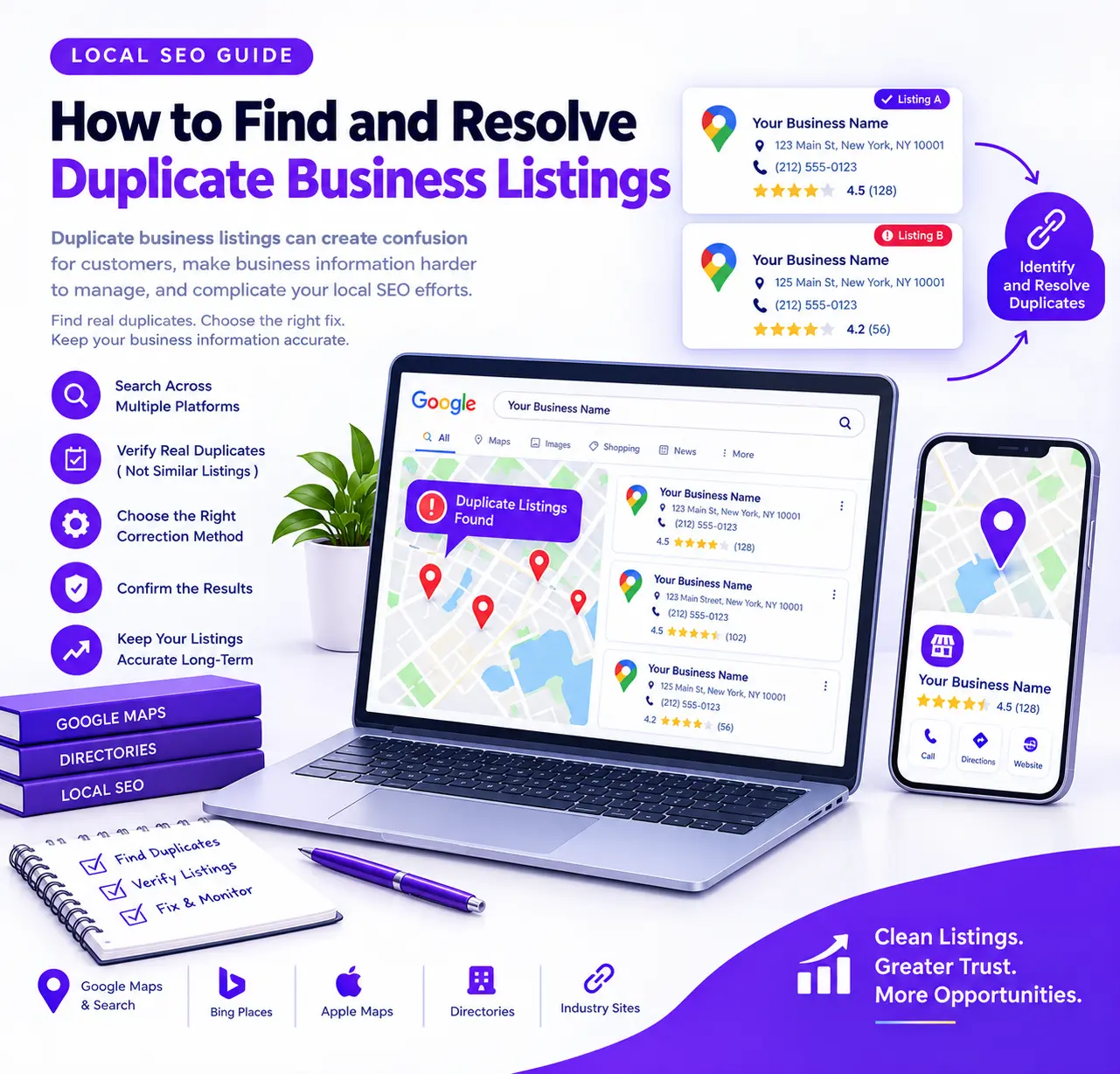
Duplicate business listings can create confusion for customers, make business information harder to manage, and complicate your local SEO efforts. To resolve them, search across Google and relevant business directories, verify which records genuinely represent the same business, choose the appropriate correction or removal method, and confirm the results. The key is to fix genuine duplicates without accidentally removing legitimate business profiles.
What Are Duplicate Business Listings?
Duplicate business listings are multiple records representing the same real-world business on a platform where a separate listing should not exist. They may appear on Google Maps, business directories, industry-specific websites, or other platforms that publish business information.
For example, a company might have two Google Business Profiles at the same location because someone created a new profile without finding the existing one. A directory might also contain two entries for the same business because an old submission was never updated.
However, not every similar listing is a duplicate. Understanding the difference is essential before making any changes.
Duplicate Business Listings vs. Duplicate Local Citations
A local citation is an online mention or listing containing information about a business. It commonly includes the business name, address, phone number, website, or other identifying details.
A duplicate listing is a narrower problem: the same business has redundant records that should not exist separately on a particular platform.
Consider these examples:
Situation | Is it necessarily a duplicate? | Appropriate action |
The same business appears once on Google Maps and once on Bing Places | No | Verify that both listings contain accurate information |
The same business has two Google Maps listings at the same location | Potentially | Confirm that both represent the same business and follow Google’s resolution process |
An online directory displays an old business phone number | Not necessarily | Correct the existing listing or investigate whether another record is redundant |
Two legitimate branches have separate listings | No | Maintain accurate, distinct information for each eligible location |
Two businesses share an address but operate independently | Not necessarily | Verify their identities and eligibility before making changes |
This distinction matters because your goal should not be to eliminate every mention of your business. It should be to maintain accurate, useful business information and resolve genuinely redundant records.
Duplicate Google Business Profiles vs. Duplicate Directory Listings
Google Business Profile and third-party directories require different approaches.
Google Business Profile duplicates are governed by Google’s rules for business eligibility, profile ownership, duplicate reporting, and merging. Google states that a business should generally have only one profile and that a profile classified as a duplicate will not appear in Google Search or Maps.
Duplicate directory listings occur when a third-party platform contains redundant records of the same business. Depending on that platform, the appropriate solution might be editing, merging, reporting, or requesting removal.
You should not assume that a procedure available in Google Business Profile will work on another directory.
For the current rules, consult Google’s official duplicate-profile and ownership guidance.
When Are Similar Business Listings Legitimate?
Two listings can look similar without representing the same business record.
Examples include:
- Two eligible business locations that operate independently.
- Distinct businesses sharing an address but having separate identities and appropriate signage.
- A legitimate practitioner or department that qualifies for its own profile under Google’s guidelines.
- A business that has changed its name or address and still has historical information online.
Google’s business representation guidelines explain the requirements for representing individual locations, service-area businesses, departments, and eligible practitioners.
Always verify the business’s identity and eligibility before requesting a merger or removing a listing.
Why Do Duplicate Business Listings Happen?
Duplicate listings can develop over time as businesses change, employees create profiles, and different platforms collect business information from multiple sources.
Understanding the likely cause helps you select the right correction method.
1. Someone Created a New Listing Without Checking for an Existing One
A business owner, employee, or marketing agency might create another listing without realizing that the business already has one.
The result may be two records containing similar business information, potentially with different contact details or profile histories.
The safest first step is to determine which record correctly represents the business and whether Google’s duplicate-resolution process is appropriate.
2. The Business Changed Its Name, Address, or Phone Number
Business changes can leave outdated information online.
For example, a company may move to a new address and create another profile instead of updating its existing one. Its former phone number might also remain on several directories.
An outdated record is not automatically a duplicate, but it should be investigated and corrected when possible.
For Google Business Profile, Google’s guidance is clear: when a business relocates, update the existing profile rather than creating a new one for the new location.
3. Previous Employees or Agencies Created Additional Listings
A former employee, business owner, or SEO provider may have created a profile during an earlier marketing campaign.
When management changes, the current owner might not know which account controls the existing profile. Creating another profile can make the situation more complicated.
Before creating anything new, search for existing profiles and investigate ownership or access-recovery options.
4. Third-Party Directories Contain Outdated or Redundant Information
Directories and other listing platforms may retain old records after a business changes its details.
The correct action depends on the record. A legitimate listing with an outdated phone number may need an edit, whereas two redundant entries may require a duplicate report.
5. Multi-Location Businesses Have Poor Listing Management
Businesses with several branches need to maintain accurate information for each eligible location.
When location data is mixed up, one branch may inherit another branch’s address or phone number. Employees may also create unnecessary listings when a branch opens or changes its name.
A location-specific reference record helps prevent these mistakes.
Why Should You Resolve Duplicate Business Listings?
Duplicate listings can create practical problems even when the exact effect on search performance is uncertain.
Customer confusion: People may find outdated phone numbers, incorrect opening hours, or addresses that no longer represent the business.
Profile management difficulties: Multiple records can make ownership, updates, and ongoing listing maintenance more complicated.
Review management concerns: Reviews and customer interactions may be associated with separate Google Business Profiles. Resolving eligible duplicates correctly can help consolidate the appropriate profile history.
Business-information inconsistencies: Conflicting names, addresses, phone numbers, and website URLs can make it harder to maintain an accurate online business presence.
Google profile visibility: Google states that profiles classified as duplicates will not appear in Search or Maps. This is different from claiming that every duplicate citation on a third-party directory causes a ranking penalty.
Do Duplicate Listings Automatically Hurt Local SEO Rankings?
No. You should not assume that every duplicate directory record directly lowers rankings or that removing it will automatically improve local search visibility.
The more defensible reasons to resolve duplicates are to correct inaccurate information, prevent customer confusion, simplify management, and comply with platform policies.
Local search visibility depends on multiple factors. Google identifies relevance, distance, and prominence among the primary considerations for local results. Citation cleanup should therefore be treated as one part of a broader local SEO strategy rather than a guaranteed ranking solution.
How to Find Duplicate Business Listings
Finding duplicates requires a systematic process. Searching only for the current business name may miss records created under former names, phone numbers, or addresses.
Follow the steps below to identify likely duplicates before deciding what to change.
Step 1: Establish Your Correct Business Information
Create a reference record containing the business’s current, verified information.
Include:
- Official business name.
- Current address or eligible location information.
- Current phone number.
- Official website.
- Primary business category and relevant identifying details.
- Former business names, addresses, and phone numbers, where applicable.
- Separate information for each legitimate business location.
For a multi-location business, maintain a distinct record for each branch.
This information will help you compare suspected listings and distinguish genuine duplicates from legitimate records.
Step 2: Search Google Search and Google Maps
Begin with Google because duplicate Business Profiles can directly affect how customers find a business through Google Search and Maps.
Use several search variations:
- Search the exact current business name.
- Search the business name with known spelling variations.
- Search the current phone number.
- Search any former phone numbers.
- Search the current address and known former addresses.
- Search the official domain alongside the business name.
- Open relevant Google Maps results and compare their details.
Do not assume that two similar results are duplicates simply because their names match. Inspect their locations, websites, contact details, and other available evidence.
Record the URL of each plausible match so you can review it later.
Step 3: Search Relevant Business Directories
After checking Google, investigate the other platforms relevant to your business.
Potential sources include:
- Bing Places.
- Apple Maps.
- Yelp.
- Foursquare.
- Major business directories.
- Industry-specific directories.
- Relevant professional or niche listing websites.
The right selection depends on the business, industry, market, and platforms on which customers are likely to find it.
Look for repeated business records, former contact information, old website URLs, and incorrect location details.
Remember that a business appearing on several different platforms is normal. The purpose of this step is to identify redundant or inaccurate records, not to remove legitimate citations.
Step 4: Investigate Historical Business Information
Some duplicates are difficult to find because the records do not use the current business details.
Search using former names, previous addresses, old phone numbers, and older website domains where applicable.
For example, suppose a company rebranded but an industry directory still displays the former business name. The record might represent the same business and require an update. If another entry already exists for the same entity, you may also need to investigate whether the two records are redundant.
Historical information is useful evidence, but it should not determine the final action by itself.
Step 5: Use Citation Tools to Expand the Search
Manual searches can help identify duplicates, but dedicated citation tools may make a larger audit more manageable.
For example, BrightLocal Citation Tracker can help businesses investigate their citation profiles. Before choosing a tool, review its current platform coverage, duplicate-detection features, reporting capabilities, and available correction workflows.
Consider these criteria when evaluating a tool:
- Which search engines, directories, and platforms does it cover?
- Can it show the actual URLs and business details of suspected duplicates?
- Does it distinguish possible duplicates from confirmed problems?
- Can it track corrections and unresolved requests?
- Does it offer a useful workflow for your number of locations?
Automated tools can help uncover candidate records, but their findings need human verification. A matching name or address does not prove that two listings represent the same business.
Step 6: Create a Duplicate-Listing Audit Worksheet
Document your findings in a spreadsheet before submitting correction or removal requests.
A practical worksheet can use the following columns:
Field | Purpose |
Platform | Identifies the website or directory |
Listing URL | Provides a direct link to the record |
Business name | Records the displayed name |
Address and phone | Captures current or historical details |
Website | Identifies the associated domain |
Status and ownership | Records whether the listing is claimed, verified, inaccessible, or unknown |
Diagnosis | Identifies a confirmed duplicate, potential duplicate, outdated record, or legitimate listing |
Proposed action | Records whether to edit, merge, report, request access, or take no action |
Follow-up | Tracks submission dates, responses, and final outcomes |
This worksheet becomes the central record for the cleanup process. It helps prevent repeated work and reduces the risk of removing the wrong listing.
How to Confirm Whether a Business Listing Is a True Duplicate
Once you have gathered candidate records, verify each one before making changes.
Compare the business name, address, phone number, website, business history, location, ownership information, and other identifying details.
The goal is to determine whether both listings represent the same real-world business and whether the platform permits them to exist separately.
Use a Decision Framework Before Taking Action
What you find | Recommended action |
Two Google Maps profiles represent the same business at the same location | Review Google’s duplicate-reporting and merge procedure |
You accidentally created an extra Google Business Profile | Confirm the correct profile, then follow Google’s duplicate-profile removal guidance |
The existing Google profile belongs to another owner | Request ownership or access instead of creating another profile |
The business moved to a different address | Review and update the existing profile |
Two distinct businesses are incorrectly classified as duplicates | Verify their eligibility and follow Google’s appeal process |
A third-party directory contains an inaccurate but legitimate listing | Correct the record through that platform |
A third-party directory contains two confirmed records for the same business | Follow its duplicate-reporting, merging, or removal procedure |
You cannot confirm whether the records are duplicates | Record the uncertainty and investigate further |
This step is especially important for Google Business Profile. According to Google’s duplicate-profile guidance, two profiles should represent the same business and have matching information for a merge to be successful.
How to Resolve Duplicate Business Listings Safely
After confirming the problem, choose the method that fits the platform and circumstances. Deleting, editing, merging, and requesting ownership are different actions.
Step 1: Decide Which Listing Should Be Retained
Establish the record that accurately represents the business.
Consider:
- Whether the business identity is correct.
- Whether the location and contact information are accurate.
- Whether the business is eligible for a separate listing.
- Whether the record is already verified or controlled by the right owner.
- Whether existing reviews or other profile history need to be considered.
- Whether the business has genuinely moved, rebranded, or opened another location.
Do not automatically keep the listing with the most reviews or the oldest creation date. The correct action depends on the business’s identity, the platform’s rules, and the status of both records.
Step 2: Resolve Duplicate Google Business Profiles
Google has specific procedures for mistaken duplicate profiles, profiles on Maps that need to be merged, and listings controlled by other owners.
If You Accidentally Created a Duplicate Profile
First verify which profile is correct.
Google’s official instructions allow an owner to remove a mistakenly created duplicate profile without affecting the verified listing. However, Google warns that removing a duplicate profile removes its content and linked managers, so you must identify the correct profile before taking action.
Follow the instructions in Google’s duplicate-profile and ownership guidance.
Do not remove a listing simply because its name looks unfamiliar or because it has less activity.
If Two Profiles Appear on Google Maps and Need to Be Merged
If both profiles appear on Maps and represent the same business, Google provides a process to report the duplicate and request a merge.
The key considerations are:
- Both profiles must represent the same business.
- Their information should match appropriately.
- The merge request is subject to Google’s review.
- The result is not guaranteed.
Google states that reviews are combined when two profiles are merged, but replies to reviews may be lost.
Before submitting a request, record the relevant profile URLs and save any important review-response information you may need to retain.
Use Google’s current duplicate-profile resolution instructions rather than relying on outdated third-party tutorials.
If Someone Else Owns the Existing Profile
Creating a new profile is not the right first step when the correct listing already exists but is controlled by another person.
Use Google’s ownership-request process. Google states that the current owner generally has three days to respond to an ownership request. Depending on the response and the situation, additional steps or an appeal may be available.
Read Google’s official ownership instructions and follow the options presented for the specific listing.
This approach addresses access to the existing profile rather than unnecessarily creating another record.
If Google Incorrectly Marks a Legitimate Business as a Duplicate
Not every duplicate classification is correct.
If two distinct, eligible businesses have been merged or incorrectly marked as duplicates, use Google’s appeal process. Where both businesses serve customers at the same address, Google may require evidence of permanent signage that clearly identifies the separate businesses.
Review the business representation guidelines before appealing. Similar names or shared addresses alone do not establish that two businesses are identical.
Step 3: Correct or Remove Duplicates on Third-Party Directories
Third-party platforms have their own systems for managing business information. The precise options vary, so follow the platform’s current instructions.
Use this general process:
- Open the confirmed duplicate listing.
- Check whether you can claim or edit it.
- Correct inaccurate details if the record is legitimate.
- Use the platform’s duplicate-reporting, merging, or removal process if the record is redundant.
- Contact the directory administrator if self-service options are unavailable.
- Provide the listing URL and relevant evidence when requested.
- Record the request and follow up until you know the outcome.
Some platforms may retain historical information, request further evidence, or offer limited removal options. Do not assume every record can be deleted.
The objective is to achieve accurate, appropriate representation of the business, not to remove every historical mention from the internet.
Step 4: Correct the Underlying Business Information
After addressing duplicates, review the retained listings for accuracy.
Check the business name, address, phone number, website, categories, business hours, and other relevant information.
Use the real-world business name and accurate location details. Do not add keywords to the business name, invent business locations, or create unnecessary profiles to influence rankings.
For Google-specific changes, follow Google’s official business representation guidelines.
Step 5: Document Every Correction
Update your audit worksheet whenever you take action.
Record which listing was retained, what changes were submitted, whether an ownership or merge request was filed, and which cases still need attention.
Keep the relevant URLs and submission records. This makes it easier to investigate unresolved problems and reduces the chance that you or another service provider will repeat the same work.
Common Mistakes to Avoid During Duplicate Listing Cleanup
Even a well-intentioned cleanup can create problems when records are changed before they are properly understood.
Removing a Listing Before Verifying Its Identity
A similar name or shared address is not proof of duplication. Confirm the business identity, location, eligibility, ownership, and relevant profile history before proceeding.
Creating a New Profile After a Business Move
Google advises updating the existing Business Profile when a business relocates. Creating a second profile instead can lead to avoidable duplicate-profile issues.
Treating All Directory Listings as Duplicates
A business appearing on multiple legitimate platforms is normal. Investigate redundancy within each platform rather than removing valuable, accurate citations.
Trusting Automated Duplicate Detection Without Reviewing the Evidence
Tools are useful for expanding discovery, but they can identify false positives. Inspect the records before submitting corrections or removal requests.
Assuming One Change Fixes Every Platform
Updating a Google Business Profile does not confirm that third-party directories are accurate. Each platform needs to be checked independently, and some corrections may require separate requests.
Expecting Guaranteed Ranking Improvements
Duplicate cleanup can improve information accuracy and resolve platform-specific problems, but it does not guarantee higher rankings, additional calls, or more sales. Assess the situation in the context of the business’s overall local SEO.
How to Prevent Duplicate Business Listings from Returning
A successful cleanup should be followed by a process that reduces the likelihood of the same issues recurring.
Maintain One Authoritative Business-Information Record
Keep the approved business details in a central document. For multi-location businesses, maintain separate, accurate records for each eligible location.
Search Before Creating a New Listing
Before creating or submitting a profile, check whether the business already exists on the platform. If a correct profile exists but you cannot manage it, investigate ownership and access options first.
Update Existing Listings When Details Change
When a business moves, rebrands, changes its phone number, or opens or closes a location, review its existing listings and follow the applicable correction procedure.
Avoid creating replacement records automatically.
Establish Clear Listing Ownership
Assign responsibility for creating, claiming, and updating profiles. When employees or agencies change, document which accounts manage the listings and what work has already been completed.
Review Listings After Important Business Changes
Perform a review when the business changes its address, name, phone number, ownership, or location structure. Periodic checks can also help detect outdated records before they become a bigger management problem.
The appropriate review frequency depends on the business’s size, number of locations, and history of listing issues.
How to Check Whether Duplicate Listing Cleanup Worked
Submitting a request is not the same as confirming that the problem has been resolved.
Verify the Final Listing Status
Return to the original URLs and check the current state of the affected records.
Determine whether each listing was corrected, merged, removed, restored, or confirmed as legitimate. If a request remains unresolved, document its status and follow the relevant platform’s instructions.
Recheck Business Information Across Relevant Sources
Review the retained records for accurate names, addresses, phone numbers, websites, and other important details.
Check the sources included in the original audit rather than assuming one platform’s correction has updated the entire web.
Monitor Performance Without Assuming Causation
Where relevant, review Google Business Profile performance data, Search Console information, website traffic, and measurable business inquiries.
These indicators may help you evaluate the wider situation, but performance changes can have multiple causes. Do not attribute every improvement or decline to duplicate cleanup alone.
Set Realistic Expectations for Resolution Time
There is no universal timeline for resolving duplicate listings. The process depends on the platform, type of issue, ownership access, evidence requirements, and review process.
Track submission dates and follow up as appropriate. Avoid relying on guaranteed removal deadlines or assuming that all directories will update simultaneously.
When Should You Handle Duplicate Listings Yourself or Seek Professional Help?
A small number of clearly identified, accessible listings may be manageable in-house. A business owner who understands the business history can often correct straightforward errors by following the platform’s instructions.
Professional assistance may be useful when the problem involves multiple locations, numerous directories, former business names, disputed ownership, recurring duplicate records, or extensive manual follow-up.
What Affects the Cost of Duplicate Listing Cleanup?
The scope of professional work can depend on:
- The number of locations and listings involved.
- The platforms requiring investigation.
- The condition of the existing citation profile.
- The amount of historical information that needs verification.
- Ownership disputes or missing access.
- The need for manual correction requests and follow-up.
- Whether the project requires a one-time cleanup or ongoing management.
There is no universal price that applies to every business. The most sensible starting point is to identify the problem, determine the work required, and set priorities based on the findings.
A focused citation audit may be sufficient for a straightforward issue, while widespread listing inconsistencies may require a broader local SEO assessment.
Frequently Asked Questions About Duplicate Business Listings
Do duplicate business listings directly hurt local SEO rankings?
Duplicate listings can create conflicting information and customer confusion, and Google may prevent profiles classified as duplicates from appearing in Search or Maps. However, not every duplicate citation causes a ranking penalty. The appropriate response is to investigate genuine issues and correct them without assuming that removal guarantees better rankings.
Can I merge two Google Business Profiles without losing reviews?
Google states that reviews are combined when two eligible duplicate profiles are merged. However, replies to reviews may be lost. Before requesting a merge, confirm that both profiles represent the same business, review Google’s current requirements, and save any important review-response information you may need to retain.
Should I delete a duplicate Google Business Profile or request a merge?
The correct action depends on the situation. If you mistakenly created an extra profile, follow Google’s duplicate-profile removal guidance. If two profiles exist on Maps and should be combined, report the duplicate through Google’s process. Verify which profile is correct before taking action, as removal and merging are different procedures.
How do I fix a duplicate business listing that I do not own?
First confirm that the listing represents your business. If another person manages the correct Google Business Profile, request ownership instead of creating another profile. For a duplicate or inaccurate third-party directory record, use that platform’s correction or reporting procedure and provide supporting evidence when requested.
How long does duplicate business listing cleanup take?
There is no universal timeline. A straightforward edit may be simpler than an ownership dispute, a Google merge request, or a third-party directory correction requiring manual review. Track your requests, check their status, and follow each platform’s instructions. Avoid assuming that every listing can be corrected or removed within a fixed period.
Final Thoughts: Maintain Accurate Business Listings Across the Web
Finding and resolving duplicate business listings starts with a careful audit, not immediate deletion. Search using current and historical business information, verify which records are genuinely redundant, select the appropriate platform-specific solution, and confirm that the changes have taken effect.
Just as importantly, maintain a central record of your business information and review existing listings whenever important details change.
If you have discovered duplicate citations, outdated business information, or inconsistent listings across several directories, explore my Local Citation Building Service. I can help you identify the relevant citation issues and determine an appropriate cleanup strategy based on your business’s actual needs.
If duplicate listings are part of a broader problem involving Google Business Profile management, local visibility, website optimization, or inconsistent business information, a Local SEO Audit may be a more suitable starting point.
The priority is to establish accurate business information, resolve genuine duplication safely, and maintain a consistent online presence without relying on unnecessary listing creation or guaranteed ranking claims.